1
Part Names
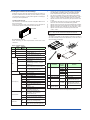
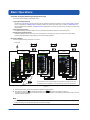
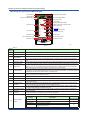
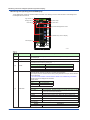
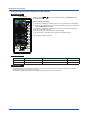
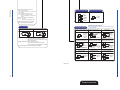
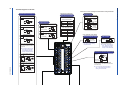
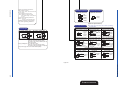
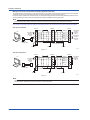
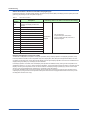
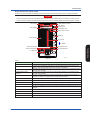
Front Panel Part Names
(10)
(10)
(2)
(2)
(3)
(3)
(4)
(1)
(4)
(1)
(5)
(6)
(9)
(9)
(7)
(7)
(8)
(8)
(5)
(6)
0201E.ai
Figure 2.1
YS1350
Color LCD display: 120 × 320 dots
FAIL lamp (LED: red)
ALM lamp (LED: yellow)
C mode key, M mode key, and LED indicators
(C: green, M: yellow)
(5) SV increase key
(6) SV decrease key
(7) Page key
(8) SHIFT key
(9) Software-key operation Key
(10) TAG label (recommended position to attach label)
(1)
(2)
(3)
(4)
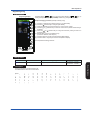
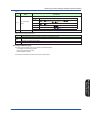
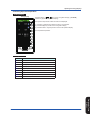
YS1360
Color LCD display: 120 × 320 dots
FAIL lamp (LED: red)
ALM lamp (LED: yellow)
C mode key, M mode key, and LED indicators
(C: green, M: yellow)
(5) MV decrease key
(6) MV increase key
(7) Page key
(8) Fast-change key/SHIFT key
(9) Software-key operation Key
(10) TAG label (recommended position to attach label)
(1)
(2)
(3)
(4)
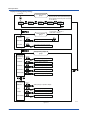
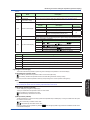
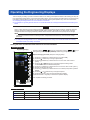
► For the functions of each part: see “Monitoring and Control of Regular Operations (Operation Display)” in this manual.
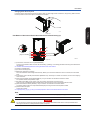
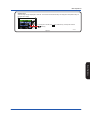
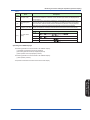
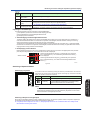
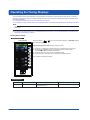
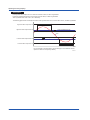
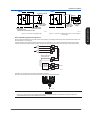
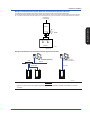
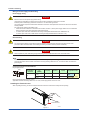
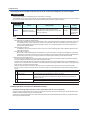
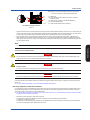
Swinging the Front Panel Up and Down
Swinging up the front panel
1. Press upwards in the center of the bottom of the front panel. You can draw the front panel toward you until you feel a slight
resistance and the movement of the front panel will stop.
(You can swing up the front panel more smoothly if hold the top and bottom of the front panel.)
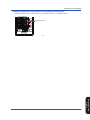
2. Swing the front panel up and out from that position.
Front Panel
Figure 2.3
Figure 2.2
8
0203E.ai
0202E.ai
IM 01B08E02-01EN