1
27
If the same annoying person keeps being able to reach your
video Web page, watch his IP addresses. They’ll likely vary
only in the fourth (right hand) number. For example, he may
first annoy you while using IP address 72.140.119.241, then you
add his name to the IP Filter list, exit Cast-a-Vision and
restart. At this stage, no person from 72.140.119.241 will be
able to access your video Web page. However, if 72.140.119.0
through 72.140.119.254 are owned by his ISP and are assigned
first-logon first-addressed, he may appear tomorrow as
72.140.119.116 or 72.140.119.20 and thus be able to reach your
video Web page.
One workaround is to block the entire address range by
Adding 72.140.119.* or 72.* rather than specifying an entire
single address. This will make it more likely that the
annoying person won’t be able to reach you, but it will do so
at the expense of forbidding all users of that Internet Service
Provider who receive addresses in that range.
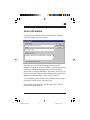
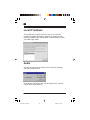
Edit
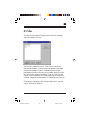
You can highlight an existing IP address in the list, then edit
it.
Delete
You can highlight an existing IP address in the list, then
delete it. A user attempting to reach your video Web page
from that IP address will no longer be blocked.
Castavision_9353.p65
27
9/30/97, 3:41 PM