1
Principles of Operation
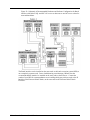
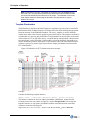
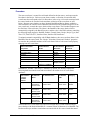
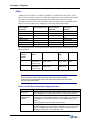
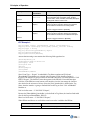
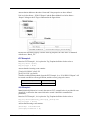
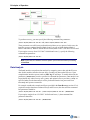
To perform recovery, you must specify the following command line parameters:
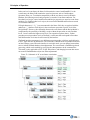
/rst=”12/15/2007 16:00:00” and /ret=”05/11/2008 2:00:05”.
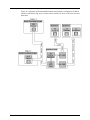
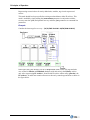
These parameters are sufficient to perform historical data recovery process. In this case, the
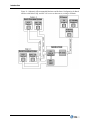
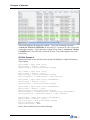
interface recovers contained batches (Batch 4 and 5) as well as border batches (Batch 1,
Batch 3 and Batch 6). Batches outside the time frame (Batch 2 and 7) will NOT be recovered.
If you require recovery from 12/15/2007 16:00:00 until now (*), specify the following
command line parameters:
/rst=”12/15/2007 16:00:00”
Note: In this case, the interface recovers (Batch 7) as well and continues processing
in RealTime.
Data Analysis
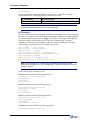
The Batch interface can perform data analysis by comparing source data with the PI server
data. In this mode the interface does not write or modify any data on the PI Server. Upon
completion the interface reports results to PIPC.log file and stops. To enable this mode, the
parameter (/mode=stat) must be specified in command line parameters. Data analysis can
be performed only when recovery start (/rst) and optional recovery end time (/ret) are
specified, otherwise the data analysis will be performed from the last processed event
timestamp until system current time.
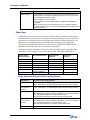
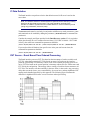
For example consider the example and figure provided in the Data Recovery section. If it is
required to analyze data between data source(s) and PI server, then the sufficient command
line parameters should be:
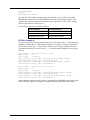
/rst=”12/15/2007 16:00:00” /ret=”05/11/2008 2:00:05” /mode=stat
If you require analysis from 12/15/2007 16:00:00 until now (*), then command line
parameters should be:
/rst=”12/15/2007 16:00:00” /mode=stat
98