1
Chapter 3 BIOS Configuration
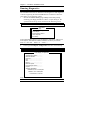
Time
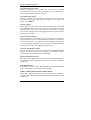
The time format is:
Hour : 00 to 23
Minute : 00 to 59
Second : 00 to 59
To set the time, highlight the “Time” field and use the <PgUp>/ <PgDn>
or +/- keys to set the current time.
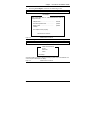
Primary HDDs / Secondary HDDs
The onboard PCI IDE connectors provide Primary and Secondary
channels for connecting up to four IDE hard disks or other IDE devices.
Each channel can support up to two hard disks; the first is the “Master”
and the second is the “Slave”.
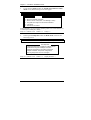
To enter the specifications for a hard disk drive, you must select first a
“Type”. There are 45 predefined types and 4 user definable types are for
Enhanced IDE BIOS. Type 1 to 45 are predefined. Type “User” is
user-definable. For the Primary Master/Slave as well as Secondary
Master/Slave, you can select “Auto” under the TYPE and MODE fields.
This will enable auto detection of your IDE drives and CD-ROM drive
during POST.
Press <PgUp>/<PgDn> to select a numbered hard disk type or type the
number and press the <Enter> key. The hard disk will not work properly
if you enter incorrect information for this field. If your hard disk drive
type is not matched or listed, you can use Type User to define your own
drive type manually. If you select Type User, related information is asked
to be entered to the following items.
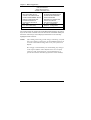
Number of cylinders
CYLS :
Number of read/write heads
HEAD :
PRECOMP : Write precompensation
Landing zone
LANDZ :
Number of sectors
SECTOR :
Automatically adjust according to the configuration
SIZE :
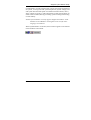
MODE (for IDE HDD only) : Auto
Normal (HD < 528MB)
Large (for MS-DOS only)
LBA (HD > 528MB and supports
Logical Block Addressing)
44
CI7BM User’s Manual