1
Chapter 4
Monitoring Method 1: Through Web Browser
23
4.5 Configure Interface Operation Description
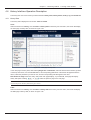
The configure tree view menu of Configure interface includes User manage, Device manage, Sensor config, Alarm
config, Net manage, Host IP, Time config, Schedule shutdown and Reboot.
4.5.1 User Manage
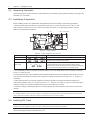
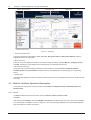
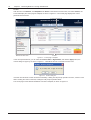
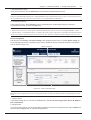
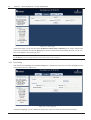
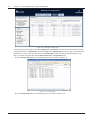
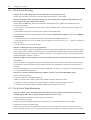
Click the main menu Config, and click User manage in the configure tree view menu, the screen will display the user
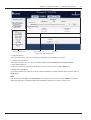
manage page, which is divided into user list and user information manage area, as shown in Figure 4-16.
User list
Configure tree view menu
User information manage area
Figure 4-16
User manage page
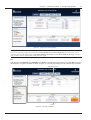
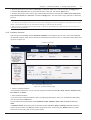
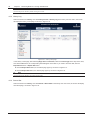
1. View the user information
In the user list, you can view the user information, including No, User name, Level, Email and Phone.
2. Add the user information
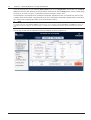
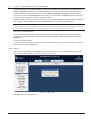
If you need to add a user, type the corresponding parameters in the user information manage area, and click the Add
button. At most ten users can be added.
The user information parameters include User, Authority, Password, confirm, Cellphone and Email.
1) User: the user name can be English letters, digits and underline, other special characters are invalid; the length
cannot exceed ten characters.
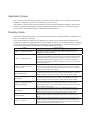
2) Authority: the system authority is divided into three user levels: Administrator, Engineer and Browser, see
Table 4-1 for details.
Table 4-1 User authority list
User
Administrator
; User manage
Authority
; Configuration
; Control
; Viewing
Engineer
ƶ User manage
; Configuration
; Control
; Viewing
ƶ Configuration
ƶ Control
Browser
ƶ User manage
; Viewing
3) Password and confirm: the password by which you access the SIC card. You must type the same password for
two times, and the length of the password cannot be less than six characters. The password can be English letters,
digits and underline, other special characters are invalid.
RDU-SIC Card
User Manual