1
Chapter 1
SIC Card Description
Chapter 1 SIC Card Description
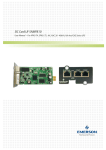
This chapter gives a brief introduction to the SIC card, including its functions, technical specifications, model and
appearance.
1.1 Functions
The SIC card is a network management card. It can make the intelligent equipment (such as UPS, PDU and so on)
developed by Emerson has the capacity of network communication. The SIC card can also connect to the
environment monitoring equipment, including IRM series or 1-Wire series temperature sensor, temperature &
humidity sensor or dry contact signal input & detecting sensors. In case of an intelligent equipment alarm, it notifies
the user by multiple ways: recording, sending a Trap message, sending an E-Mail or sending an SMS.
The SIC card provides four approaches to monitor the intelligent equipment and equipment room environment:
z Web browser. Monitor your intelligent equipment and equipment room environment through the Web server
function provided by the SIC card
z Network management system (NMS). Monitor your intelligent equipment and equipment room environment
through the SNMP agent function provided by the SIC card
z RDU-Manager. RDU-Manager is a piece of management software for equipment room. You can use
RDU-Manager to monitor your intelligent equipment and equipment room environment through the TCP/IP
interface provided by the SIC card
z Centralized management software (Nform). Monitor your intelligent equipment through the Velocity Server
service function provided by the SIC card
The SIC card can also work with the Network Shutdown computer safe shutdown program developed by Emerson
Network Power Co., Ltd. to provide automatic safe shutdown function for your computer installed with Network
Shutdown, so as to prevent data loss.
1.2 Technical Specifications
z Network type: automatically adapt to 10/100MB/s Ethernet
z Concurrent Web browsers’ number: 5
z Concurrent NMS number: 10
z Protocol : SNMP v2c and SNMP v1
z Concurrent RDU-Manager and Network Shutdown number: 200
z Concurrent Nform number: 8
z Total alarm records: 10000 pieces
z Total data records: 10000 pieces
RDU-SIC Card
User Manual
1