1
i-Guard DVR User’s Manual
A.
B.
System Requirement
Device
Minimum Request
Suggestion
CPU
P4 2.0GHz or other with same level
P4 3.0GHz or other with same level
RAM
512MB
1GB
Network
Equipment
Yes
Resolution
800*600 24bits
IP Cam
1 set at least
1024*768 24bits
Installation
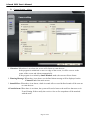
1. Insert the CD to the CD drive. Auto-install menu will be popped up. Please select “Install
i-Gurad DVR” to carry out the installation.
2. If an old version had been installed into your computer, the system will prompt you to execute
update.
3. Follow the on-screen instruction to finish the installation.
Page 2 of 14