1
i-Guard DVR User’s Manual
VII. Channel Setting – Recording
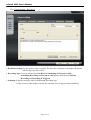
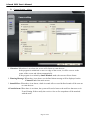
1. Resolution Setting: Set the quality of the recording. The more the resolution is, the higher the quality
and the larger the files will be.
2. Recording Type: It can be divided into Non Record, Scheduling and Record-at-click.
Scheduling Recording and Record-at-click also be divided into Full Time
Recording and Recording if Triggered.
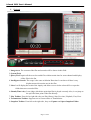
3. Schedule: It displays message while in Scheduling Recording type.
It allows users to add, modify or delete the schedule. Also it support multi-scheduling.
Page 8 of 14