1
i. Cube Sampling
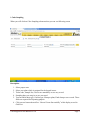
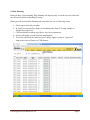
When you will click on Cube Sampling sub-menu then you can see following screen
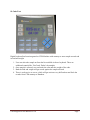
Description
1.
2.
3.
4.
5.
Select proper zone.
Select your plant which is assigned for the logged in user.
Ticket code, Sample No, Cube no are mandatory to save any record.
Sampling date you can give as per your need.
You can add Admix type, Cement type, Slump at plant, Final slump to save record. These
fields are required for Reporting purpose.
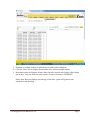
6. Click on save button then reflect “Record Create Successfully” while display record in
GridView
CTM Integration User Manual Ver 1.0
Page 4