1
Controls
Interface Notes
•
Drag the corner to resize the interface.
•
Hover over any control for a tooltip.
•
Right-click a control for more options, which are explained later in
the manual.
•
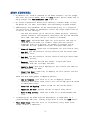
Sliders & knobs:
o
o
o
o
Adjustable with mouse wheel
Ctrl-drag for fine adjustment
Double-click to reset
Ctrl-click the Piz Logo to hide/show the numbers
•
Reset button: sets all controls to default values.
•
Clicking the Randomize button randomizes all controls. The
randomization amount is less on the left, and more on the right of the
button. Ctrl-click for a very small randomization. Note that random
settings will almost certainly sound terrible.
•
The Clip Indicator under the Main Volume knob lights up when the output
is outside the -1.0 to +1.0 range. The signal is not actually clipped
within the plugin.
2

![Bibliographie ["Autour de la notion d`auteur"] Droits d](http://vs1.manualzilla.com/store/data/006474778_1-f10855f76098b785c4ef802245d74d82-150x150.png)