1
T EC- IT Ba r cod e So ft w are R ef e ren c e
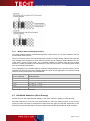
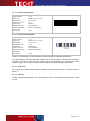
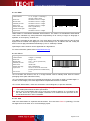
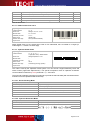
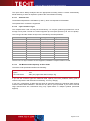
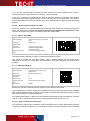
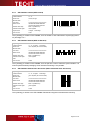
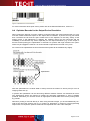
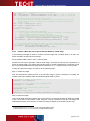
Figure 13: Quiet Zone for Linear Barcode
For more information about quiet zones, please refer to the Barcode Reference, section 4.4.
A.4 Optimize Barcode for the Output Device Resolution
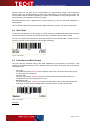
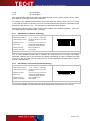
When printing the barcode (or when creating a barcode image) the most important step is to optimize the module width with respect to the output device resolution. A printer can only print whole
dots. Therefore the bar and the space widths have to be adjusted, so that they exactly fit the
printing raster. If this adjustment is skipped, the resulting output may be inaccurate and the
readability of the barcode may suffer. Especially for low output resolutions (e.g. screen output or
thermo transfer printing) the optimization is essential. For printers with high resolution the optimization may be negligible. However it is recommended to optimize the barcode in any case.
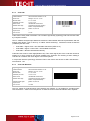
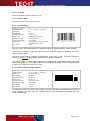
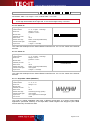
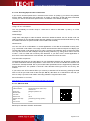
As a result of the optimization the size of the barcode symbol will be modified very slightly.
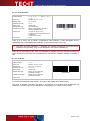
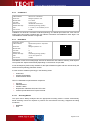
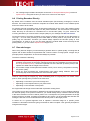
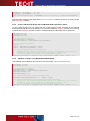
Optimization
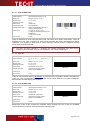
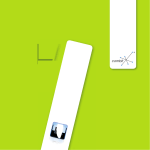
Figure 14: Optimize Barcode for Output Device Resolution
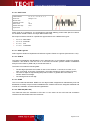
After the optimization the module width is exactly N times the width of a device pixel (for N is an
integer greater than 0).
In practice the optimization can be done using different methods. Section A.5 describes all necessary adjustments which are required to enable the automatic optimization in TEC-IT software
products. Alternative you can also choose an appropriate module width which fits the printing raster
by yourself.
Whenever printing a barcode directly or when using barcode images, you should additionally consider a few rules (see sections A.6 to A.7). Finally, for developers, in section A.9 all programming
steps which are required to optimize a barcode are explained with a few code examples.
Page 91 of 104