1
Peggy II
User Manual
32,64,128,192,384 Kbps
· Exit: Exit to music.
You can play your recording in the Music menu.
4. Radio Mode
Press <
> buttons to change radio stations manually.
Press M button to enter Radio submenu.
· Volume: increase or decrease the volume level.
· Save: Press to save the current playing station in
one of the 20 preset memories of the device.
· Delete Station: Delete the selected station from
the memory.
· Delete All: Delete all stations
· Auto Search: Auto search and store stations in
the memory.
· Record: Record your favorite station. Long press
M to save your record and return to radio mode.
· Exit: Exit to radio.
5. Text
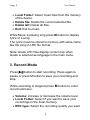
Select the TXT file you want to view by pressing
button.
5