1
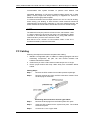
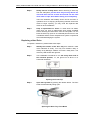
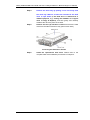
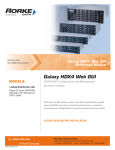
Galaxy GHDX4 RAID Fibre/iSCSI-SAS SATA 16Bay Installation / Hardware Reference Manual can be quickly installed. Removing a subsystem component without replacing it can lead to permanent damage. When replacing any hot-swappable component, caution should be taken to ensure that the components are handled in an appropriate manner. Rough or improper handling of components can lead to irreparable damage. When removing a RAID controller from the subsystem, ensure that your applications running on servers have been properly closed, users notified of the down time, all cached writes conducted, etc. Ensure that power has been turned off and that all precautionary measures, without exception, are adhered to. The controller board is very sensitive and can be easily damaged. WARNING! When inserting a removable module, take heed that DO NOT USE EXCESSIVE FORCE! Forcing or slamming a module can damage the connector pins either on the module itself or on the backplane. Gently push the module until it reaches the end of module slot. Feel the contact resistance and use slightly more force to ensure the module connectors are correctly mated. If the module comes with ejection levers or retention screws, use them to secure the module. 75