1
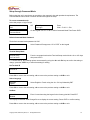
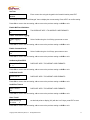
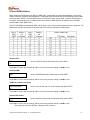
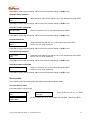
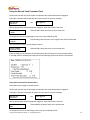
Set Time
hh mm ss
##/##/##
Enter current time using the keypad in the format hh/mm/ss press ENT
The Display will indicate “Clock Changed” then re-display the current setting. Press <ENT> to confirm setting.
Press <B> to move to the next setting, <A> to move to the previous setting or <CLR> to exit.
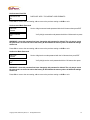
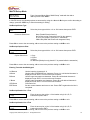
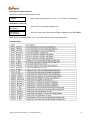
Enable MAF Card Validation
Validate Cards
No
This DOES NOT APPLY TO GOPRINT CARD FORMATS
Enable Transaction Logging
Enable Logging?
No
Select Yes/No using the A or B Keys, press enter to save
Press <B> to move to the next setting, <A> to move to the previous setting or <CLR> to exit.
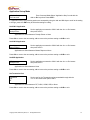
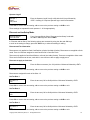
Enable Command Cards
Accept Command
Yes
Select Yes/No using the A or B keys, press enter to save
Press <B> to move to the next setting, <A> to move to the previous setting or <CLR> to exit.
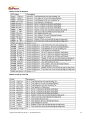
Set Gateway/Host RFID
Gateway/Host RIF
D 0
DOES NOT APPLY TO GOPRINT CARD FORMATS
Press <B> to move to the next setting, <A> to move to the previous setting or <CLR> to exit.
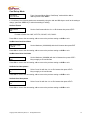
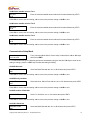
Set Default Host ID
Default Host ID
0
DOES NOT APPLY TO GOPRINT CARD FORMATS
Press <B> to move to the next setting, <A> to move to the previous setting or <CLR> to exit.
Set Offline Timeout
Offline Timeout
100
DOES NOT APPLY TO GOPRINT CARD FORMATS
Press <B> to move to the next setting, <A> to move to the previous setting or <CLR> to exit.
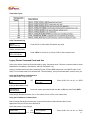
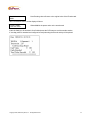
Show Tenth?
Show #Decimal pt
On values
2
set decimal points to display (0-3) with the A or B keys, press ENT to save
Press <B> to move to the next setting, <A> to move to the previous setting or <CLR> to exit.
Copyright 2009, GoPrint Systems, Inc. All Rights Reserved
11