1
Quick Reference Guide
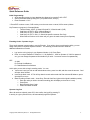
Initial Programming:
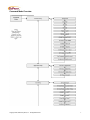
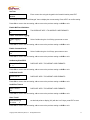
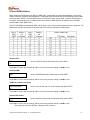
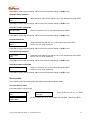
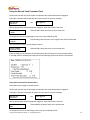
• At the operator prompt, log into administrative features by entering D-9-5-1-ENT
• Select Command Mode by hitting ENT (or up/down with A, B keys.)
• Enter Password 1-5-3-5
***Press ENT to select or save, CLR to take you to the next menu or cancel, A/B to arrow up/down
Key Features to program in Command Mode:
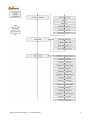
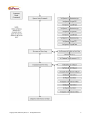
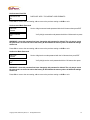
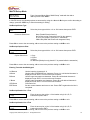
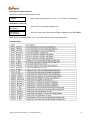
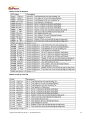
o Terminal Setup Æ ENT Æ Show # Decimal Pt Æ Should read 2 (CLR)
o Card Setup Æ ENT Æ STX Æ Should Read 12
o Card Setup Æ ENT Æ ROM Æ Should Read 6
o Card Setup Æ ENT Æ Site 1 Æ Should be specific customer Site Code
o When finished Continue to Hit clear until you get to the main screen (Enter Operator)
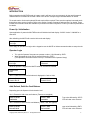
Encoding Cards – Operator Log-in
There are 8 separate operators able to use the Encoder. If you wish to have record keeping ability, you can
assign each person a separate Operator Number. This will help you determine who made the
additions/subtractions on cards.
•
•
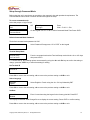
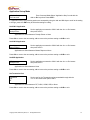
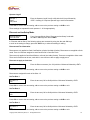
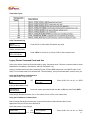
Log into the unit by keying in your Operator Number (1-8), Press Enter
Enter Your unique Password. Default is 1111 for Operator 1, 2222 for Operator 2, 3333 for operator 3
etc. (you can change the password from default if you wish – but cannot recover lost passwords).
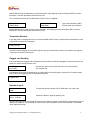
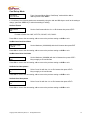
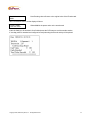
KEYA= Add
B = Refund Card Balance
D = Debit/Subtract from Balance
At this point you are able to begin encoding cards. You can:
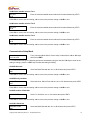
• Insert user’s card you wish to add value/subtract value, press A to add, and then enter the amount. Card
will eject when finished
• Insert single blank card Æ This will lay down the track and encode with Site code and $0 balance, press
eject button to return
• Mass Encoding of blank cards – insert Grey, Encode Cash Card (given with original installation packet).
o Enter the value you wish to do mass encoding (this will display to the tenth of a cent)
o Press Enter
o Begin Entering User Cards
o Press Clear when finished
Operator Log-Out
When all cards are ejected, press CLR, then confirm the logoff by pressing D.
In activity in a given period of time, will automatically logoff the Operator.
Copyright 2009, GoPrint Systems, Inc. All Rights Reserved
4