1
Dedicated Controls
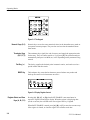
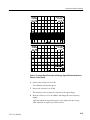
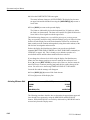
17. Use the FREQ/MKRS knob to place the marker near the calibration signal.
(In general, place the marker near the signal of interest. If you do not turn on
the marker, the signal nearest center screen is measured.)
18. Set the reference level so the signal peak is within one division of the top
graticule line.
19. Press [CTR-MEAS/TRKG].
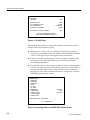
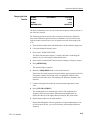
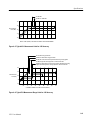
The calibration signal is recentered, and the amplitude and frequency of the
centered signal are read out at the upper right of the screen preceded by a C
(counter).
The counter readout provides the most accurate frequency determination
available on the 2715, and its resolution can be set to 1 Hz if desired. The
counter readings disappear when a control setting is altered.
The marker and counter amplitude readouts are equally accurate. However, the
signal amplitude indicated by the position of the marker relative to the graticule
may differ slightly from the readout. The readout is more accurate because it
contains no display nonlinearities.
The center frequency and counter measurements are also equally accurate, but in
general the counter readout is more precise.
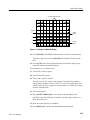
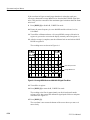
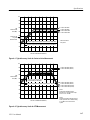
20. To look closely at the calibration signal third harmonic, place the marker
near the third harmonic (approximately 280 MHz).
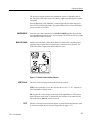
21. Press [CTR-MEAS/TRKG].
The calibration signal third harmonic is now the new center frequency and
its frequency and amplitude are displayed at the top of the right-hand
readouts.
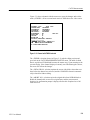
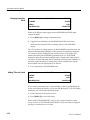
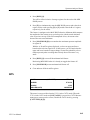
22. Press [MKR//OFF] to enter the delta-marker mode.
23. Place the movable marker near the calibration signal fundamental (at
100 MHz).
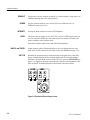
24. Press [CTR MEAS/TRKG].
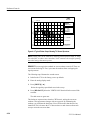
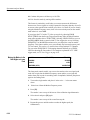
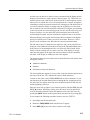
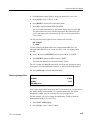
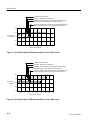
This mode of operation centers the signal peak nearest the movable marker
and measures the difference between the centered signal and the signal at the
fixed marker. In this case, the fundamental is recentered, and the markers
appear on top of it and the third harmonic. Readings of approximately
200 MHz and 12 dB appear at the top of the left column preceded by the
letters DC (delta-counter). The center measure feature with the delta marker
mode provides a convenient method of determining precise signal differences without manual tuning or interpolation of graphical data.
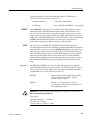
25. Turn off the markers.
4–30
2715 User Manual