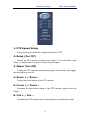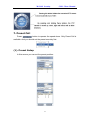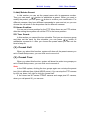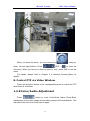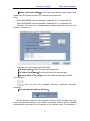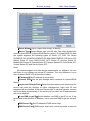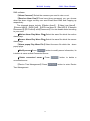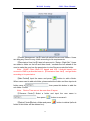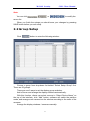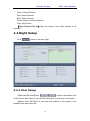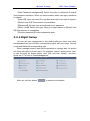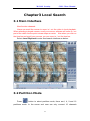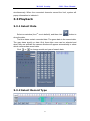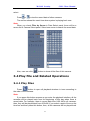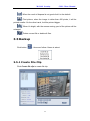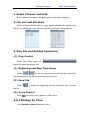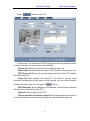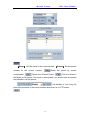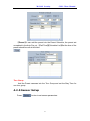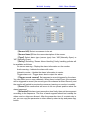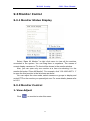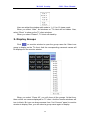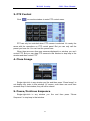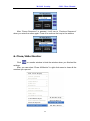
1
MAYAN Security CMS Client Manual CMS Client System User’s Guide I MAYAN Security CMS Client Manual Content Chapter1 Start up and Main Interface............................ 9 1.1 Preparation & Uninstallation........................................................ 9 1.1.1 Preparation ........................................................................................9 1.1.2 Uninstallation ..................................................................................11 1.2 Start up........................................................................................ 12 1.3 Main interface............................................................................. 12 1.3.1 Show Tips .........................................................................................12 1.3.2 Screen Menu.....................................................................................13 1.3.3 Interface Description .......................................................................14 1.3.4 System Menu ....................................................................................16 1.3.5 Connection Group............................................................................19 1.3.6 Connection List ................................................................................19 1.3.7 PTZ Control Panel...........................................................................21 1.3.8 Color/Audio Adjustment ..................................................................25 1.3.9 DI/DO Control .................................................................................26 Chapter2 Local Setup ................................................... 28 2.1 System Setup .............................................................................. 28 2.1.1 System Setup.....................................................................................28 2.1.2 Add/Modify Server ...........................................................................33 2.2 Group Setup................................................................................ 37 II MAYAN Security CMS Client Manual 2.3 Record Setup .............................................................................. 39 2.4 Right Setup ................................................................................. 40 2.4.1 User Setup........................................................................................40 2.4.2 Right Setup .......................................................................................41 Chapter3 Local Search ................................................. 42 3.1 Main Interface ............................................................................ 42 3.2 Partition Mode ............................................................................ 42 3.3 Playback...................................................................................... 43 3.3.1 Select Date .......................................................................................43 3.3.2 Select Record Type ...........................................................................43 3.3.3 Select Camera ..................................................................................44 3.3.4 Select File.........................................................................................44 3.4 Play File and Related Operations ............................................... 45 3.4.1 Play Files .........................................................................................45 3.4.2 Capture Pictures ..............................................................................46 3.4.3 Search Captured Pictures ................................................................46 3.5 Backup ........................................................................................ 48 3.5.1 Create File Clip ...............................................................................48 3.5.2 Backup by Time ................................................................................49 3.5.3 View Backup File .............................................................................51 3.5.4 Burn CD ...........................................................................................51 III MAYAN Security CMS Client Manual Chapter4 Remote Setup ............................................... 53 4.1 For Hybrid NDVR...................................................................... 53 4.2 For DVS and EM-DVR.............................................................. 53 4.2.1 Functional Buttons...........................................................................54 4.2.2 Server Setup .....................................................................................55 4.2.3 Channel Setup ..................................................................................56 4.2.4 PTZ Control .....................................................................................58 4.2.5 Sensor Setup.....................................................................................61 4.2.6 Alarm Setup......................................................................................63 Chapter5 Remote Search ............................................. 65 5.1 Mutil-Server playback ................................................................ 65 5.2 Hybrid -NDVR playback............................................................ 67 5.3 Steps of Playback ....................................................................... 67 5.4 Play File and Related Operations ............................................... 68 5.5 Backup ........................................................................................ 68 5.5.1 Create File Clip ...............................................................................68 5.5.2 Backup Record by Time....................................................................68 5.5.3 View Backup Video File ...................................................................69 5.5.4 Burn Video File to DVD/CD ............................................................69 Chapter6 Re-NDVR Setup............................................. 70 Chapter7 IE client .......................................................... 72 IV MAYAN Security CMS Client Manual 7.1 Functions of IE Client ................................................................ 72 7.2 Main Interface ............................................................................ 72 7.2.1 Connect Record................................................................................73 7.2.2 Partition Mode.................................................................................73 7.2.3 PTZ Control .....................................................................................74 7.2.4 Local & Remote Search ...................................................................74 7.2.5 Quit Program ...................................................................................74 7.3 Local Search ............................................................................... 74 7.4 Remote Search............................................................................ 76 Chapter8 Appendix A: E-Map Function....................... 78 8.1 Introduction ................................................................................ 78 8.1.1 E-Map Introduction .........................................................................78 8.1.2 Corresponding Configuration of E-Map .........................................78 8.1.3 Single Monitor .................................................................................78 8.1.4 Dual Monitor ...................................................................................81 8.2 Main Interface ............................................................................ 85 8.3 E-Map Menu............................................................................... 85 8.3.1 Map Setup ........................................................................................85 8.4 Connect Server while Alarm ...................................................... 90 Chapter9 Appendix B: PC Decoder Function ............. 91 9.1 Introduction ................................................................................ 91 V MAYAN Security CMS Client Manual 9.1.1 PC Decoder Introduction.................................................................91 9.1.2 Preparation ......................................................................................91 9.2 Setup ........................................................................................... 93 9.2.1 Monitor Setup...................................................................................93 9.3 Monitor Contol ........................................................................... 99 9.3.1 Monitor Status Display ....................................................................99 9.3.2 Monitor Control ...............................................................................99 9.4 Operations on TV Client .......................................................... 103 9.4.1 Setup...............................................................................................103 9.4.2 Monitor Control .............................................................................103 VI MAYAN Security CMS Client Manual Introductions Thank you for purchasing our CMS client system. This CMS client system can connect Hybrid-NDVR (Hybrid-NDVR system), EM-DVR and DVS. Also, it can set them and search their recording data remotely. In addition, it can view server’s log (only for Hybrid-NDVR) from long-distance,supporting IE browser connect Hybrid-NDVR client. New Functions 1. Onvif supported. Refer to Page 35. 2. Search multi-server at a time remotely. Refer to Page 65. 3. MAC OS supported. User can ask our sales to offer this version. 4. View up to 4 channels via iPhone mobileclient. 5. Ipad supported. 6. Webclient updated. Refer to Page 68. 7. Redundant NDVR function is added.Refer to Page 19. 8. POS text live display function. 9. Device alarm send email/sms/popup function.Refer to Page 34. For point 4 & 5, please refer to our iPhone user manual for details. System Features -Support mobile client, such as Andriod, iPhone and Blackberry etc. -Support the following eight kinds of resolution: 1024*768 pixels, 1280*768 pixels, 1280*1024 pixels, 1366*768 pixels, 1440*900 pixels, 1600*900 pixels, 1680*1050 pixels and 1920*1080 pixels. -Support 64bit OS installation. -Support PC Decoder function. It is integrated to support multi-monitor for TV wall function. User can drag any board card cameras or IP cameras supported by our software to any window on TV wall. You can connect as many as 24 monitors to the system. -Support E-Map function. It can be used to deal with variety alarms, such as sensor alarm, motion detection alarm etc. It can switch to display video images of related alarm cameras automatically. User can click them to locate where the alarm be triggered out. And the corresponding names of camera will be displayed on screen. -Support remote motion setup for Hybrid-NDVR -Support multi-brand of IP cameras, such as Mobotix, Sony, Acti, 7 MAYAN Security CMS Client Manual Arecontvision, Vivotek and SanYo etc. -Support playing back according to device name -Support instant playback in 480 sec -Support write log while alarm. User can search the record video in system log -Support display the video from alarm server automatically -Support adjust the window split mode between Normal mode and Wide screen mode -P/T/Z/F & speed demo control on keyboard -Network support (Remote access via LAN, Ethernet, PSTN, ISDN, ADSL) Important Information For optimal performance of your system, it is important to follow these recommendations. We recommend that you divide your hard disk into two partitions (E.g. C and D) at least. The first partition is used to install Windows OS and system software, the other for storing record files. Each partition should not be larger than 2.5TB. Please use appropriate motherboard and display card. Contact your dealers or our support engineers if you have questions. Recommended System Requirements Chipset: Intel 875PE, 915P, 945P, 965P Motherboard: Intel: D915/945PCY, D865PERL Asus: P4P800SE, P5P800 MSI: 865PE Neo2-F, 915/925/945; Gigabit: GA-865GME, GA-945PL-G etc Video Card: ATI Rodeon 9250 128MB, ATI Radeon 9550 128MB, ATI X500, X550, X700 etc; Processor: Intel Pentium 4 2.4GHz or better Memory: 512MB minimum 8 MAYAN Security CMS Client Manual Chapter1 Start up and Main Interface 1.1 Preparation & Uninstallation When you want to mix your DG cards and NV cards on the same PC, you have to use Hybrid-NDVR 6.70. So you have to update CMS to 6.70 to avoid there are problems when do remote setup from CMS client. 1.1.1 Preparation After installing CMS Client, user must assign space for recording. Otherwise, software can’t record normally. Actually, system will run the disk management automatically before user runs CMS Client the first time. Also, user can run disk manager to assign space when you want. However, you should input correct user name and password to get access to Disk management when manger disables the disk manage right of some operators in Right setup. For details, please refer to the particular manual in Hybrid-NDVR server manual. 9 MAYAN Security CMS Client Manual In order to make CMS client run normally in windows 7 OS, please take note one of the following things must be done: 1. Activate "administrator" to do all the operations, such as install software, operate software, etc. The steps to activate are as below: First, single-right-click “Computer” icon->Manage->Local Users and Groups->Users->Administrators->not to check “Account is disabled”. Then, switch user or log off to log in with Administrator. 2. Adjust UAC settings to "Never notify", shown in the below pictures: 10 MAYAN Security CMS Client Manual To 64 bit OS, you have to download and install two patches: KB978637 and KB976264. You should download them from MSDNAA manually. They can’t be installed automatically when system updates. 1.1.2 Uninstallation When you want to change this version to another one, you should uninstall it. Click Start All programs CMS Client Uninstall CMS Client to uninstall 11 MAYAN Security CMS Client Manual CMS. 1.2 Start up After installing CMS Client software, a shortcut icon will be shown on windows desktop. Double click it to run CMS Client software, the main interface will appear as the follows: 1.3 Main interface New function released from V6.71: Users can scroll the mouse to zoom in / out the video. When selecting a playing camera, scroll your mouse, software will zoom in / out part of the video use the point mouse stops as center. 1.3.1 Show Tips 1. When the mouse moves closely or stops above a button, a text tip will be shown to interpret its function immediately; 2. Zoom in/out video image: Left-Double-Click a camera window to zoom 12 MAYAN Security CMS Client Manual in/out video image; 3. Recording status: --The system is recording continuously; -- The system is recording manually; -- The system is recording in motion detection alarm; -- The system is recording in event alarm. 1.3.2 Screen Menu Normally, user can press TAB key or Page Down (select next camera window) and Page UP (select previous camera window) key on keyboard to select a window. Users can Single-Right-Click image area (Hybrid-NDVR camera windows and IP camera windows) to popup the screen menu as below: 1. Full screen display: single-right-click to change the display mode to full screen mode, click again to turn back. 2. Instant playback: if you have set “Instant playback max time” in the local setup, then you can use this shortcut function. Note: In the course of instant playback(for both of the compression card camera and the IP camera), you can press Space key to switch the play/pause status and direction key → or ← to play next or previous frame. 3. End playback: to end playback. 4. Image quality, Frame rate, Resolution: for the sub-stream of 13 MAYAN Security CMS Client Manual Hybrid-NDVR, you can adjust the Image quality, Frame rate and Resolution. This function is only available to Hybrid-NDVR that enabled sub stream in camera setup. 5. IP Video zoom in: zoom in IP video. 6. Switch to sub stream: can be the main / sub-channel switching, if you choose the sub-channel, the images will be poorer. 7. PC DVR Motion setup: Enter the motion setup remotely. It’s only available for Hybrid-NDVR. For details, you can refer to the Hybrid-NDVR user manual. 8. Views Manual/Auto Adjust: if you choose Views Auto Adjust when there is an alarm in E-map, software will adjust it’s splits automatically to display the cameras with alarm. Otherwise, it will not change its splits even the alarm cameras are more than the windows. 9. Device abnormity message: When the server is abnormally shut down and restart, there will be a massage record. To know the details, you can view the remote log. 10. About IP register: Click this function, the registered and unregistered device information will be displayed. 11. PC Decoder Function: Please refer to PC Decoder Manual for details. Note: Show prompt: When the mouse moves closely or stops over a button, the button function text prompt will be shown immediately. 1.3.3 Interface Description 1. Partition Mode Press button to set display mode. There are many types of the partition, including 1,4,6,9,13,16,20,25,28,33,36,40,49,64 partition. Select the suitable partition according to your need. 2. Image Capture Press button to save a still image of a selected camera in live view that is selected by user onto hard disk, and then review and print the image. 3. Manual Record Switch 14 MAYAN Security Press CMS Client Manual button to record manually to any camera, after manual recording, must stop manually. 4. Information Panel Date, time and display window information panel Information: Show day of the week, current date, current time, and the percentage of CPU usage, the current selected window, and the current linkage in this window. 5. System Lock After you enabled “use password” in Right Setup, press button to lock system-Lock keyboard and mouse to prevent unauthorized user to operate CMS Client system. Left-Single-Click this button to acquire the operation rights by entering the user and password, default user ID is “admin”, no password. 6. Setting Press button to enter Local Setup submenu. In this menu, you can set system and related parameters. 7. Playback Click button in main interface to enter Remote Playback interface. 8. Minimize Button Press button to minimize the main window. 9. Exit Program Press button to exit program. After clicking this button, a dialog will be displayed. Click “OK” to quit CMS system. 15 MAYAN Security CMS Client Manual 1.3.4 System Menu 1. Device Record Status Select this item to view the record status of Hybrid-NDVR. Please note this function is only available to Hybrid-NDVR and the Hybrid-NDVR should be the same version of your CMS. Otherwise, you will get an error says “The IP device doesn’t support this function”. 2. Remote Chat 16 MAYAN Security CMS Client Manual Press Remote Chat to make a voice chatting. Click it to have remote chat with the connected server. Sound card with mice input must be used. If there is no sound card on either side, the chat will not be carried on. Select a server from drop-down list to make a remote chat. If connect successfully, there will be an icon tip to show it. . 3. View Remote Log Press button to search log from a long distance server that you are being connected. It’s good that no one is on duty in server end. You can see 17 MAYAN Security CMS Client Manual information of the server and you needn’t get to the server site. Note: Remote log is only available to Hybrid-NDVR. 4. View Local Log Local system log keeps a record of system events such as local operation, local prompt, local system alarm and Hybrid-NDVR device alarm according to time and date. Users can search log by date, time and system parameters. When there is a motion alarm triggered out, user can view its record on the right top of this interface. But you should confirm you have enabled “write log while alarm” in Local System Setup first. Besides, if the motion alarm lasts only for a short time, there may be no picture record in system log. 5. Local Playback Select Local Playback to enter Local Playback submenu. 18 MAYAN Security CMS Client Manual 6. Remote Setup Select Remote Setup to enter Remote Setup submenu. In this menu, you can set the server’s parameters remotely. 7. Backup System Parameters Backup the system parameters to the select path. 8. Import System Parameters Import system parameters form the save path. 9. Redundant NDVR Setup Select Redundant NDVR Setup to enter Re-NDVR submenu. Note: Redundant NDVR is only available to Hybrid-NDVR. 1.3.5 Connection Group Press to enter connection group setup. This panel displays the information of groups and cameras. There are 18 preset groups and you can choose any one group to connect. There are 64 windows and you can also click and click to connect all of them to disconnect all. The shade of icon will show the status of window: Window 1 disconnects Window 2 connects 1.3.6 Connection List 1. List Press button to show all the equipments you have added in this client. 19 MAYAN Security CMS Client Manual Double click one camera and it will be connected in a selected window. 2. Quick Operations There will be a menu shown as below if you Single-Right-Click on the sever name. 20 MAYAN Security CMS Client Manual (1). Remote Search Please refer to Chapter 5 for details. (2). Remote Setup Please refer to Chapter 4 for details. (3). Remote Chat Please refer to Page 11 for details. (4). View Remote Log Please refer to Page 16 for details (5). Device Record Status Select this item to view the record status of Hybrid-NDVR. 1.3.7 PTZ Control Panel Press button to control PTZ. 21 MAYAN Security CMS Client Manual 1. PTZ Speed Setup Press and drag the slider bar to adjust the speed of PTZ. 2. Relay (On/Off) Control the PTZ cameras internal relay (relay1) or the decoder’s relay (relay 1). Used to turn on a light or control an access gate. 3. Wiper (On/Off) If using the PTZ cameras corresponding wiper control relay, this toggles the relay/wiper on and off. 4. Zoom + / Zoom – Control the zoom function of the PTZ camera. 5. Focus + / Focus – Overrides the auto-focus setting of the PTZ camera, adjust focus the image. 6. Iris + / Iris – Overrides the PTZ cameras auto-iris and brighten or darken the image. 22 MAYAN Security CMS Client Manual 7. Preset Call Press button to operate the speed dome. Only Preset Call is available. And you should set the preset remotely first. (1). Preset Setup In this screen you can set the preset position: 23 MAYAN Security CMS Client Manual I. Add/Delete Preset In this section you can set the preset name with its sequence number. Then you can press / button to add/delete a preset. When you want to modify the preset, you can press button to confirm your modification. For different cameras, they have different commands to open and set, so you can choose the call mode in the drop-down list for different cameras. II. Home Position You can set a home position for the PTZ. When there are no PTZ actions after the setting time system will call the PTZ to the home position. III. Tour Preset In this section you can set the tour schedule. First you can choose a group, and then set the track for this schedule; you can press / button to add/delete a preset to it. After you choose the preset name you can set the time to keep on. (2). Preset Call When you select this function, system will show all the preset names you set in Preset Setup menu; you can click one to move to it. (3). Preset Tour When you select this function, system will show the entire tour groups you set in Preset Setup menu; you can click one to execute it. Note: In the CMS system, clicking the tour groups again can not stop the preset tour (this is different from Hybrid-NDVR server). You can stop the PTZ camera by click up, down, left, right or click the “preset call”. If the views are NV series PTZ&IP camera and mega pixel IP camera, when you call preset 95, you can see: 24 MAYAN Security CMS Client Manual When you enter the menu, you can control it by down, left and right buttons. Press IRIS – ( , using up, ) to enter the sub menu. When you use up or down to move to “exit”, press IRIS- to exit the menu. For details, please refer to Chapter 4 in Network_Camera_Menu for details. 8. Control PTZ via Video Window Press and drag the mouse to the corresponding area to control the PTZ when there is a decoder. 1.3.8 Color/Audio Adjustment Press button to enter Color/Audio Adjust Panel-Slider adjustments for the video image and recording volume of the selected tile. This also affects the live view of the video images. 25 MAYAN Security CMS Client Manual ① Press the first button and drag to adjust the brightness of the image that you selected, and you can resume its default value by pressing . ②Press the second button and drag it to adjust the contrast of the image that you selected and you can resume its default value by pressing . ③Press the third button and drag it to adjust the hue of the image that you selected, and you can resume its default value by pressing . ④Press the fourth button and drag it to adjust the saturation of the image that you selected, and you can resume its default value by pressing . ⑤Press the fifth button to switch sound of the audio that related to the image you selected and drag the slider bar to adjust the volume. 1.3.9 DI/DO Control 26 MAYAN Security CMS Client Manual Note: The channel of DI and DO is determined by the connected server. 1. DI Control The DI number will show the alarm status of the corresponding server indicated by the shades of the icon: Input channel 2 doesn’t check sensor forcibly. Input channel 3 checks sensor forcibly or has an alarm inputting. When there is no alarm yet, user can press number button to check sensor forcibly. Press the button again to stop checking all time, then system checks sensor according to Sensor setup. When there is an alarm, the corresponding button will show the alarm with blue. 2. DO Control Press number to open/close alarm device relay switch manually. There are two types of status to DO: Output channel 2 is close. Output channel 3 is open. When there is no alarm triggered out, user can press the number button to output alarm forcibly and the button will show it with green, press it again the output will be closed. 27 MAYAN Security CMS Client Manual Chapter2 Local Setup 2.1 System Setup Click button to enter this interface: 【Import】 Select this function to export system configurations. 【Export】 Select this function to import system configurations. 2.1.1 System Setup 【Max. Record channels】Set the max record channels, the max number is 64, if set the number as 20(shown as below): 28 MAYAN Security CMS Client Manual Then you can set the windows1-windows20 in Record Set. 【Display Resolution】Select the display resolution for CMS. You can choose from "Auto, 1024*768, 1280*768, 1280*1024, 1366*768, 1440*900, 1600*900, 1680*1050 and 1920*1080". When you select "auto", the software 29 MAYAN Security CMS Client Manual will adjust its resolution in accordance with the resolution of the screen automatically. 【Network Listen port】The listen port for iPhone / iPad Client; Android mobile Client and PC based NVMP Client. 【Web Listen port】The IE client connect port. Restart CMS Client software to make it efficiently. 【Use electronic map】Select be disable or enable to use the electronic map. At the same time, you should choose the mode from stretched and extended. Please refer to E-map manual for details. 【 Connect server while alarm 】 Enable: If there is an alarm in Hybrid-NDVR server end, the client will connect the Hybrid-NDVR server forwardly. 【Data stream Auto adjust】1,1-4,1-6,1-9,1-13,1-16View->Main Stream, when you select one, all the view less than you select should be main stream. 【Write log while alarm】Select whether system writes alarm information log or not. There will be alarm information and corresponding record in local system log when you select enable. 【Default Connect Stream Type】Select the stream type as default. 【Auto Reconnect Time Interval】If you select the “Auto Reconnect Time Interval” function, when the software is disconnected, the software will reconnect auto by the setting time. 【Instant playback max time】Set the instant playback max time or disable the function. If you select “480sec” then you can use “Instant playback” in the main interface as bellow: 30 MAYAN Security CMS Client Manual 【Matrix card work mode】If use matrix and decode card, select work mode from D1 decode mode or CIF decode mode and set it. Note: Each NV4002MD card can decode 2 channels D1 or 4channels CIF. Each NV4004MD card can decode 4 channels D1 or 8 channels CIF. Decoder will send out corresponding number channels from the first window in sequence. User can set each output port individually. 【TV output port】Select decoder card output port. 【TV output View Mode】Set the split mode for selected port. 【Window index of TV port】Select the index for each split window. For example: This icon has four windows: window1, window2, window3, window4. 【Decode channel Index in window】 Select window index for the selected window. Each window can only select one decode channel. The number of decode channel will be showed automatically according to the channels of the decode card. For example, if 31 MAYAN Security CMS Client Manual there is one NV4004MD card, there will show the 8 decode channel, if there are two NV4004MD cards, there will show the 16 decode channel, if one 4002MD card, there are 4 decode channel only. This figure as above shows the decode channel have been selected, in order that user can’t select the decoder repeatedly. Note: If use “CIF decode mode”, and there isn’t preview video appear in the CMS client main interface. The reason for this is that the resolution setup too high in DVR Server end. For example: D1. (Please restart CMS Client software after this item setup). And this function is used less and less since the NV4002MD / NV4004MD card can only output less than D1 video from NV series devices. We provide another solution named “Virtual Martrix / PC Decoder”. 【Software Start Auto Connect】Select the group set in Group Setup to be connected when the program start. When you select “Disable”, Client will not connect the camera automatically. 【Auto Reconnect time interval】Select whether the client reconnect when the connection is interrupted and the time interval. If you select “Disable”, when the connection is interrupted, program will not reconnect it. If you select the “Auto Reconnect Time Interval” function, when the software is disconnected, the software will reconnect automatically after the setting time. 【Keyboard use COM port】Select a COM port for keyboard to connect. Please refer to Keyboard Manual for details. 【Grab picture save to】Fill in the save path that you want your captured pictures to be saved to. 【Language】Show the current language. You can change when there is another language pack. 【Window Split Mode】Select window split mode for CMS between “Normal Mode” and “Wide Screen”. You would better select “Wide Screen” when you are using wide screen monitor. You should re-select the view window number to refresh the window split mode status. 【PC Decoder Function】Select “Enable” so that you can use PC decoder funtion later. It will be described in details in PC Decoder Manual. 32 MAYAN Security CMS Client Manual 【PDA Connect Port】The port is for PDA connection. Blackberry and iPhone etc are supported. When connect a mobile client to CMS, all severs connected in CMS will be listed in your mobile. Select one from the list to view or operate. Please refer to DVR User Manual for details about mobile client. Note: Smart Phone Client (iPhone / iPad / Android) is also supported, please check iPhone / iPad / Android mobile Client and Android mobile Client. 2.1.2 Add/Modify Server 【Add connect server】Press button to add a new server in this system. When user is adding a new server, if there are some problems, e.g.: network is poor or this Server is not running, the adding will be failed. 33 MAYAN Security CMS Client Manual 【Server Name】Input a name that is easy to identify. 【Device Type】Select device type you will add. This client system can connect Hybrid-NDVR (Hybrid-NDVR Server system), DVS and EM-DVR. Now the system supports the following types of device: PC DVR, NV Series IP/EMDVR, DG 42XX/50XX EMDVR, DG 80XX/90XX EMDVR, DG Series IPC, Dahua Series IP, Sony SNC110/160, ACTi Series IP, Huviron Series IP, Mobotix M12 Series IP, ArecontVision IP, Camtron Series IPC, Axis Series IPC, Vivotek Series IPC and SanYo Series IPC. Note: All cameras support onvif can also be supported by our software. You can add them to our software as normal IP cameras. The only difference is you have to select ONVIF IPC as the device name. 【IP Address】Set IP address of server host. 【Connect Port】Set the port through which connects to Hybrid-NDVR Server. 【Login user ID/Login Pass】When the client want to visit server and the server has used the function of rights management, login user ID and password will be checked. If the user has no right to visit that camera, connect will be cut down automatically. If the function is not used, the ID and password will not be checked. 【If use DNS to get IP】Select whether use DNS to get IP or not, if the server end is the dynamic IP address, users need use DNS to get the server’s IP. 【DNS Server IP】Set IP address of DNS server host. 【DNS Server Port】DNS server host’s port, which is provide to connect 34 MAYAN Security CMS Client Manual DNS software. 【Views Cameras】Select the cameras you need to view or not. 【Receive Alarm Deal】There have three movement you can choose when the alarm trigger out.they are send Email,Send SMS and Popping up respectively. The triggered alarms include 【Motion Alarm】, 【Video Loss Alarm】, 【Sensor Input】, 【HDD Fail】, 【HDD Low Space】, 【No HDD】, 【Network Disconnect】,【IP Conflict】and【Reconnect】 . You can enable them according to your need. 【Motion Alarm Play Wave File】Select the wave file which the motion alarm plays. 【Sensor Alarm Play Wave File】Select the wave file which the sensor alarm plays. 【Alarm popup Play Wave File】Select the wave file which the alarm popup plays. 【Modify server】Press button to modify server information, its interface is same as Add Connected Server. 【 Delete connected server 】 Press button to delete a connected server. 【Device Tree Management】Press Tree Management. 35 button to enter Device MAYAN Security CMS Client Manual 【Folder Management List】Listed all added Servers and folders. Users can drag any Server to any folder according to his requirements. 【Permission User List】Listed all users set in “Setup—Right Set”. Users can select a folder on the left and then check / uncheck the box ahead of the user to make the user has the permission to view Servers under this folder. Note: NVMP Client (Both PC based and iOS / Android based) can connect to CMS by authorized user in 【Permission User List】 and get video according to its permission. 【Add Folder】Input the name and press button to add a folder. When users want to add sub folder, please select the folder and then input sub folder name in sub folder. Device Note: , then press this button to add the Device Tree can not be more than 3 layers. 【 Rename Folder 】 Select a folder and input the new name in then press 【Delete Folder】Select a folder and press folder of this folder will be deleted too). 36 button to rename it. button to delete it(all sub MAYAN Security CMS Client Manual Note: You can click , or to modify the server list. When you finish the setups you should save your changes by pressing SAVE button before you exit setup. 2.2 Group Setup Click button to enter the following window: Choose a group from drop-down list behind “Select Setup Group” first. There are 32 groups. There are now 2 ways to set the display group as below: Add a Server and arrange the display windows automatically: With this function, clients can select a server in “Select Device Name” on the top of the interface, click “Add” button, software will switch the partition mode, and arrange each camera into the window according to the order of the cameras. Arrange the display windows / cameras manually: 37 MAYAN Security CMS Client Manual In every group, you can set 64 connections. Also, you can select the partition for every group from the drop-down list behind “Partition Mode”. Then you can set group as follows: 【IP Address Alias】Select the server in which the camera will be selected to show If it has no sever in the drop-down list, you need to add server in the “Server IP” page. 【Camera】Select the camera of the server set in 【IP Address Alias】 to be connected. In one window, you can set one or more camera’s connection (), if more than one camera show in one window, you can set cycle interval time. You can switch them by pressing button and in Main interface. 【Frame Rate】There are three options: Real-time, Auto and 1fps. Real-time: If it’s selected, server will send all compacted information to client. When the client gets this information, it will play it. The continuality is good in this way but it consumes too much CPU space. If there is no information losing when compacting and sending, the playing will be real-time. Auto: Its difference from Real-time is that when the client gets the information, he will cut some information and then play it. It consumes less CPU space. But if you click any camera, system will adjust frame rate to Real-time automatically. 1fps: It means to break down the information in server. Only one frame of 38 MAYAN Security CMS Client Manual important information is sent to the client every second. It consumes little CPU space and network. And if you click any camera, system will adjust frame rate to Real-time automatically when there is enough network space. (NOTE: This selection is only effective on Hybrid-NDVR). 【Stream Type】Select the stream type main channel or sub channel for the current camera. 2.3 Record Setup Click to enter the record setup interface. 【Select Window】Select the window you want to set. 【Record type】Set the type of record, including Normal record, Sensor record, Motion record, Motion or Sensor record and Not record. You can set record type as follows: Firstly, press the type button that you want to set; then select the record time by press the grid (delegate half an hour in a day) or left-click mouse and drag for an area. If you want to set same record status every half hour every day, you may double-click the left up of the chart. When you finished the setup, the grid will display the corresponding color of the record type. 39 MAYAN Security CMS Client Manual Green: Normal Record. Red: Sensor Record. Blue: Motion Record. Yellow: Motion or Sensor Record. Gray: Not Record. 【Copy Record Plan to】Copy the setup to any other window or all windows. 2.4 Right Setup Click button to set user right. 2.4.1 User Setup 【Add User/Del User】Click / icons to add /delete user for the Client, after that you can edit the information for the user to be added. 【Select User ID】Select a user that has existed in the system to be modified from drop-down list. 40 MAYAN Security CMS Client Manual 【Use Password management】Select a solution to determine if enable user password validation. When you select enable, when user login, password is needed. 【User ID】Input new User ID in this box when add a new user to system. 【Select User ID】This selection is unavailable. 【Password】Set new user and selected user’s password. 【Auth. Level】Select user type. When you select admin in【Select User ID】this selection is unavailable. 【Confirm password】Confirm password again. 2.4.2 Right Setup You can set user management in this window after you input user name and password and you will have corresponding rights with your name. Choose a user and distribute corresponding right. When manager doesn’t want some operators to manage disk, he should not check this right for those users. For example, “admin” doesn’t want “user” to own the right, he should select “user” first, and click “Modify”, and then, check the “V” in front of “Disk Management”. After set, click the button to save the information. 41 MAYAN Security CMS Client Manual Chapter3 Local Search 3.1 Main Interface New function released: Users can scroll the mouse to zoom in / out the video in local playback. When selecting a played camera, scroll your mouse, software will zoom in / out part of the video use the point mouse stops as center. Also when you click on the time bar and scroll your mourse, you can zoom in / out the time bar. Select Local Playback to enter local search interface as below: 3.2 Partition Mode Press button to select partition mode, there are1, 4, 9 and 16 partitions mode. In the server end user can only connect 16 channels 42 MAYAN Security CMS Client Manual simultaneously. When the connected channels exceed the limit, system will popup information to indicate it. 3.3 Playback 3.3.1 Select Date Select one window (the 1st one in default), and then click button to show the date. The blue dates contain recorded data. The green date is the current date. The gray dates signify no data. Only those blue ones can be selected and when they are selected the camera window will appear automatically to show which cameras has record data. Click or to change month and year of search data. 3.3.2 Select Record Type 43 MAYAN Security Press the icon CMS Client Manual before “Motion” when you want to playback motion recording. Others are the same. When there is no record data of the selected record type, the below picture will be shown. 3.3.3 Select Camera After selected the date system will show the camera state of corresponding day, or click button directly to show the cameras state of current day. The number button with navy blue means this channel has record data. By pressing it directly on the numerical panel,Hybrid NDVR system will play back recorded data from the first file. 3.3.4 Select File After selecting the camera to play user can click button to show all the files of this camera. By default, system will play back video file from the first one. In this screen you can change the file you want to play by clicking it directly. The camera list below the window shows the recorded data of the day you select. Double click any time with record data, a red mark will be there. Then use to enlarge the time bar, so that you can select an exact time you want to playback. When there are too much record data, you can use 44 to MAYAN Security CMS Client Manual select. Press or to view the record data of other cameras. The red bar shows the exact time when system is playing back now. Note: When you check Filter by Server in Date Select panel, there will be a server list in Camera Select panel. Select one server to search its record data. Also, user can click button to show all the files of this camera. 3.4 Play File and Related Operations 3.4.1 Play Files Press button to open all playback windows in turns according to the order of the cameras. Note: If you press this button as soon as you enter the playback interface, all the cameras will be played back from the beginning of this day when there is record data. For example, there is record data from 8:00 AM to all cameras, then, they will be played back from 8:00 AM. If you select a point of time on the time bar and then press this button, then, all the cameras will be played back 45 MAYAN Security CMS Client Manual from that time. Press button to close all playback windows. Click this button to synchronize all playback channels time. Last frame, Start, Pause, Stop and Next frame. First frame of that day, Previous minute, Next minute and Last frame of that day. Image zooms out: Press this button, single click the left mouse button on an image, quarter of the image will be enlarge. By thereafter, single click right mouse button on the image, it will resume. Adjust the voice: click the button to clear the voice. Adjust playing speed: click the button to resume normal playing speed. Note: It is not suggested that multi-channel (more than 10 channels) record and playback coinstantaneous unless your PC has a wonderful configuration, because the data throughput of HDD is huge. Multi-channel search in client and server are the same except their paths. In client, there are local and LAN search. In LAN search, it searches among the record data in the local network of server. 3.4.2 Capture Pictures Click capture button to capture a display picture. When one is captured, there will display a dialog interface and you can change the file name. After you press confirmation, system will save the picture in default path: System volume\Grab\search. Note: The size of the image is that of the playing window. 3.4.3 Search Captured Pictures 46 MAYAN Security Click CMS Client Manual to enter the search window. 1. Select Pictures from Directory and File List You can select a captured picture from directory list and file list in local disk. By default, the directory is: System volume\Grab\Search. After you select the path the file name will show in the top of the window. 2. Related Operations After you edit the picture you can save the picture in a save path as you like. Function buttons of picture disposal. 47 MAYAN Security CMS Client Manual When the result of disposal is not good click it to the default. Print picture, when the image is wider than 400 pixels, it will be printed smaller. On the other hand, it will be printed bigger. When it’s bright, with the mouse moving, part of the picture will be enlarged. Delete current file or delete all files. 3.5 Backup Click button ,there are follow 4 items to select. 3.5.1 Create File Clip Click Create file clip to create file clip. 48 MAYAN Security CMS Client Manual 1. Select Channel and Path Select channel and path of the backup file on the top of interface. 2. File List and Attribute Select a file and double-click it to play and its attribute will display below the list, including begin time, end time, file size, resolution, frame rate etc. 3. Play File and Related Operations (1). Play Control Press and drag slider on button to control the player time. (2). Beginning and Stop Time Setup Press to set the beginning time and end time of the file, the file attribute on the left will show the size of the file. (3). Save File Press the file. to ensure the beginning and end of the file, click it to save (4). Voice Control Click to control voice, press it to clear voice. 3.5.2 Backup by Time Click Backup by time to backup by time. 49 MAYAN Security CMS Client Manual 1. Save Path Select path for the backup file, User can backup record file to CD. 2. Backup Camera Select the backup camera. User can select more than one camera once. 3. Select Begin/End Time Select the backup files’ begin time and end time. 4. Backup Data Size Show the size of the backup file. If user backups record file to CD directly, the data size should not be more than 650M. Note: If user backup record files to CD directly, the system disk volume’s(C volume in general) free space should not less than twice of the backup data size. Because system volume will be used buffer area when burn CD. For example, if the backup data size is 450M, so, the system volume’s free space 50 MAYAN Security CMS Client Manual should be more than 900M. The process of burning CD: 1) Select CD-ROM as the backup path, and select the camera and time; 2) Check the backup file value; 3) Backup the file to the temporary file in the last volume if there have enough free space, otherwise, write backup file to the last second volume; 4) Write back up file to buffer; 5) Write CD; 6) Delete buffer and temporary file. 3.5.3 View Backup File Press to view backup files. Select channel and path of the backup file in local disk on the top of interface. 3.5.4 Burn CD Press button to burn CD. 51 MAYAN Security CMS Client Manual ① ④ ② ③ Area ①: File directory. Area ②: File list. Area ③: The File directory and list of will be burned to CD. Icon ④: Create a new directory in area ③. : Add selected file from area ② to area ③. : Delete selected file from area ③. 【Burn CD drive】Select CD-ROM driver. 【Volume label】 Set the CD’s label. 【Total file size】Show the size of all files will be burned to CD. : When you finish your setup, click this button will write file to CD. 52 MAYAN Security CMS Client Manual Chapter4 Remote Setup 4.1 For Hybrid NDVR Remote setup for Hybrid NDVR is nearly the same as local setup in Hybrid NDVR. For details, please refer to our Hybrid NDVR User Manual. 4.2 For DVS and EM-DVR The remote setup interface of DH Series IP devices is as below: For DG Series EM-DVR, the interfaces are not exactly the same as DH Series. Remote setup for DG Series EM-DVR includes Server, Channel, Record, PTZ, Sensor, Alarm and User. But the ways of set are nearly the same. For details, please refer to our DG Series EM-DVR manual. For other series IP cameras, such as DG Series IP, Sony SNC110/160, ACTi Series IP, Huviron Series IP, Mobotix M12 Series IP, ArecontVision IP, Camtron Series IPC, Axis Series IPC, Vivotek Series IPC and SanYo Series 53 MAYAN Security CMS Client Manual IPC, you will enter the IE interface automatically when you press “Remote Setup”. You have to install ActiveX too. 4.2.1 Functional Buttons There are 6 buttons in each page. They are IE Setup, Upgrade, Restart, 54 MAYAN Security CMS Client Manual Time adjustment, Save and Exit. Setup the parameter of IPC from IE. The system can upgrade to the server remote. Click this button, and select the right file. Some setting will only come into effect after device reboots. Adjust date and time of DVS or EMDVR. The new date and time will accordant with CMS client computer. After setup is finished, click this button to save the setup. Exit setup. Remote setup for DVS includes Server, Channel, PTZ, Sensor and Alarm. 4.2.2 Server Setup Press button to set server parameters remotely: In the server window, some blanks’ background are gray. Those parameters are read from foreside server, you can’t modify them. Other blanks whose background is white, you can set them remotely. 【Server Name】Enter the name description for easy identification. This name delegates the foreside server. If use DNS to get IP, this name will be 55 MAYAN Security CMS Client Manual used. 【IP configuration and related】 【Server IP】 【Port】 These are network configurations. You can set LAN or Internet IP according to your need. 【Subnet Mask】 【Net Gate】 【Net Cable Type】 【If use PPPOE】 【PPPOE Login Name】 【PPPOE Login Pass】 If system uses PPPOE to connect with web, please select it and input the PPPOE login ID and password. 【User Pass】Set the user password of DVS remotely, after that operation you should change the Login Pass to corresponding value in Add / Modify server. Otherwise, you can’t connect the DVS correctly. 【DNS Server IP】If use DNS, input the DNS host IP address. 【Remote manage】 【Remote manage IP】 【Remote manage port】 Set the IP address and port of host server who will receive the message upload from foreside server 4.2.3 Channel Setup Press button to set channel parameters. 56 MAYAN Security CMS Client Manual This section contains the parameters to designate a name for every camera connected, to enable or disable show LOGO and OSD, and to set display type of OSD & LOGO as well as record resolution, record type, record quality and frame rate, etc. 【Camera】Select the camera to be set from the drop- list. 【Camera Name】Enter a name description for easy identification. 【Frame Rate】Select the record rate of camera from drop-down list. 【Mainstream】 【Sub Stream】Select Mainstream or Sub Stream for the current cameras. 【Resolution】Set the resolution at which the video files will be recorded. Choices are DCIF, CIF, QCIF, 2CIF and 4CIF. The higher the resolution is, the more disk space needed. 【Stream Type】Select video and audio or only video record. 【Image】Set the quality of the image to be recorded. Select from worst, worse, normal, good and best. 【Bit Rate Type】Select bit rate type from Variable Bit Rate (VBR) and Fixed Bit Rate (FBR) record: VBR range= Poorest, Poor, Medium, Good, Best. FBR range = 45 Megabytes/Hour to 400 Megabytes/Hour. 57 MAYAN Security CMS Client Manual 【Max Bit Rate】Select the maximum bit rate for Variable Bit Rate (VBR) record. 【Show LOGO/ OSD/ Week】If you check those box, system will show corresponding information on screen. 【Position】Set the position of OSD or Logo by entering the X and Y coordinate directly. 【OSD】Set the display attribute of the OSD & LOGO. There are four types display modes: Clarity-Glitter, Clarity-Not Glitter, Not Clarity-Glitter and Not Clarity-Not Glitter. 【OSD Type】Select the type of OSD for the Week. 【Cover】You can check this box to set the privacy mask on the below image directly. 【Record schedule】You can set record schedule in following chart. Note: This record schedule is only available to EM-DVR. There are 4 time segments every day. Every segment has start time, end time and record type. The time segment is set in sequence; every segment can’t be overlapped, included or skipped with any other. 【Copy to】After finishing one channel, if you want to set any other channels’ configuration as the same as this camera, you can select channel number from drop-down list, and press button. , Set the time to post or pre the record. 4.2.4 PTZ Control 58 MAYAN Security Press CMS Client Manual button to set PTZ. In this screen, you can define the PTZ protocol and set the Preset Position as well as the plan to execute them automatically. 【Camera】Select the camera to be set from the drop- list. 【Baud rate】Set baud rate according to PTZ protocol from the drop- list. 【PTZ Protocol】Select the communication protocol for the PTZ camera from drop-down list. 【Copy to】After finishing one channel, if you want to set any other channels’ configuration as the same as this camera, you can select channel number from drop-down list, and press button. 【PTZ Address】Set the address of the decoder, which must be matched with the value of dipswitch in the PTZ. 【Speed】Set the speed of the PTZ. 【Preset position & schedule setup】Define preset position and set time to call preset position automatically. System can add and delete plan time. 59 MAYAN Security CMS Client Manual 【Name】 Set the name for the current preset. 【Preset】 Set the preset number for the current camera configuration. Setup the preset by current Delete the finished Preset. Call the Preset if the Mode is Call preset. The mode is save preset; you should save the preset and shouldn’t call the preset. Set disable or how long the puts will come back to the home position when there is no PTZ action. 60 MAYAN Security CMS Client Manual 【Preset】It can add the preset into the Preset Schedule, the preset set completed in the Auto Pre yet, 【Call Time】 【Schedule List】Set the time of the preset should be call at that time. Tour Group Add the Preset cameras into the Tour Group and set the Stay Time for one tour group. 4.2.5 Sensor Setup Press button to set sensor parameters. 61 MAYAN Security CMS Client Manual 【Sensor NO】Select one sensor to be set. 【Sensor Name】Enter the name description of the sensor. 【Type】Select alarm type (sensor type) from “NO”(Normally Open) or “NC”(Normally Close). 【Policy】Selecting “Sensor Alarm Handling” firstly, handling policies will be available as follows: On screen warning—Display the alarm information on the monitor. Audio warning—Indicate the alarm with voice. Upload to center—Update the alarm information to center. Trigger alarm out—Trigger alarm box to output the alarm. 【Trigger record camera】Set cameras to record triggered by the alarm. You can select one or more channels. When there is alarm input, the cameras will be triggered to record (the record type of the channel is Alarm Record), and the monitor will switch to preview the cameras (warning on monitor is enable). 【Preset】Set camera that will move to its one preset position when the alarm happened. 【Schedule】Set alarm input precaution time firstly, then set time segment according to the sequence. The time of each segment should not overlap the others and no skips are allowed. After the precaution time of a certain day is set, you can copy the parameter to other dates by select a day and press copy button. 62 MAYAN Security CMS Client Manual 【Copy to】After finishing one channel, if you want to set any other channels’ configuration as the same as this camera, you can select channel number from drop-down list, and press button. 4.2.6 Alarm Setup Press button to set alarm parameters. 【Camera】Select a camera to be set from the drop-down list and you can copy the configuration to the other cameras by clicking copy button. 【Alarm Type】Select alarm type: Motion detection, Tempering alarm and Video Loss. 【Level】Select sensibility levels from 0 (the lowest level) to 5 (the highest 63 MAYAN Security CMS Client Manual level) for the alarm. 【Set motion detection areas】Left-click mouse and drag it on the screen to select motion detect area, you can select the whole area or many areas. Also, you can clear one or whole area by press the button clear and test the effect by clicking test button. 【Policy】Select “Handling current alarm” firstly, handling policies will be available as follows: On screen warning—Display the alarm information on the monitor. Audio warning—Indicate the alarm with voice. Upload to center—Update the alarm information to center. Trigger alarm out—Trigger alarm box to output the alarm. 【Trigger record camera】Set cameras to record triggered by the alarm. You can select one or more channels. When there is alarm input, the cameras will be triggered to record (the record type of the channel is Alarm Record), and the monitor will switch to preview the cameras (warning on monitor is enable). 【Schedule】Set alarm input precaution time. Select date firstly, then set time segment according to the sequence. The time of each segment should not overlap the others and no skips are allowed. After the precaution time of a certain day is set, you can copy the parameter to other dates by select a day and press copy button. 【Copy to】After finishing one channel, if you want to set any other channels’ configuration as the same as this camera, you can select channel number from drop-down list, and press 64 button. MAYAN Security CMS Client Manual Chapter5 Remote Search Click button and then this window pop up. This is new feature of our CMS V 5.60. It provides mutil-DVR playback and Hybrid -NDVR playback. The mutil-DVR including recording data from EM-DVR, Hybrid -NDVR and DVS; On the contrary, Hybrid -NDVR is listed seperately. 5.1 Mutil-Server playback In the mutil-DVR playback interface, you will see as below: 65 MAYAN Security CMS Client Manual When entering this interface successfully, all devices (including Hybrid -NDVR,EM-DVR,DVS with SD card) are not connected (by default). Showed as below: If you want to connect any device, just double-click the device, and it will connect automatically. Similar for the other devices. More details about the related operation please refer to from 5.3 to 5.5. 66 MAYAN Security CMS Client Manual 5.2 Hybrid -NDVR playback If you just want to playback video for a certain Hybrid -NDVR, click the button and select the name of the Hybrid -NDVR, you will enter the interface as below: The related operation is the same with before. For more details, please refer to contents from 5.3 to 5.5. In this playback mode,we get several function those are popular among customers back, such as PS, AS and CP. The two modes of playback can fulfill different requirements of different customers. 5.3 Steps of Playback The operations are nearly the same with Local Playback. However, in multi-server playback mode you should double click the server name in the server list to select one server before you select the date. Also, you can select one camera below the server name to select the server. Otherwise, you will not be able to select date. And you can’t select record type as in Local Playback. The record type icons below the time bar only show which record type you are playing back. 67 MAYAN Security CMS Client Manual 5.4 Play File and Related Operations All buttons are nearly the same with Local Playback. However, you should not press button before one server is selected. Please refer to Chapter 3 for details. 5.5 Backup Click button ,there are four items to be selected. 5.5.1 Create File Clip Please refer to 3.5.1 for details. The only difference is you should select one server from the drop-down list. 5.5.2 Backup Record by Time 68 MAYAN Security CMS Client Manual It’s nearly the same with 4.5.2 in Hybrid -NDVR User Manual. The differences are as below: You should select one server before backup. “No Change” is named as “MP4”. “AVI (H.264)” and “MSMPG4” is named as “AVI”. 5.5.3 View Backup Video File Please refer to 3.5.3 for details. 5.5.4 Burn Video File to DVD/CD Please refer to 3.5.4 for details. 69 MAYAN Security CMS Client Manual Chapter6 Re-NDVR Setup This is a function used to avoid important data lost when some NDVRs meet some problems such as network disconnection, HDD failure and reboot abnormality. Left click to enter Redundant NDVR Setup: Note: We can only add Hybrid-NDVR here 【Redundant NDVR List】You can add/delete the redundant Hybrid-NDVR here.This is the list of the NDVRs which are used as redundant recording Servers. 【Associate NDVR List】 You can add/delete the associate Hybrid-NDVR here.This is the list of the NDVRs which are in surveillance sites that you want to set redundant to avoid important data lost. 70 MAYAN Security You can press CMS Client Manual button to view the IP Cameras of the associate Hybrid NDVR. For example,when the redundant Hybrid-NDVR(192.168.0.43) happen some faults,such as Network Disconnect,HDD Fail and reboot abnormally.The IP Cameras of the associate Hybrid-NDVR(192.168.0.43) would add to the redundant Hybrid-NDVR(192.168.0.111) and all the added IP Cameras will Manual Record automatically. 71 MAYAN Security CMS Client Manual Chapter7 IE client The client user can look through video of Hybrid -NDVR Client by Internet Explorer. The default web server port is 80. If it is changed to other port, user should add port number after IP address of CMS Client. E.g.: http://192.168.0.119:1290. Note: Webclient is updated from this version. If you can’t download and install Activex automatically, you can download webclient.zip manually via clicking “Go to”. Then, the following interface will be shown: Save and install webclient on your PC, so that you can install ActiveX sucessfully later. 7.1 Functions of IE Client 1. Video display and video storage. 2. Audio input. 3. Searching and playback video image locally or remotely. 4. Control PTZ and speed demo remotely. 7.2 Main Interface When you connect Hybrid -NDVR Client successfully, you should input valid User ID and password in right up of the interface to acquire rights to play 72 MAYAN Security CMS Client Manual video and other operations. 7.2.1 Connect Record This icon indicates the current connection and their record status: Gray: Not connected. Navy blue: Connected with no record. Green: Connected with record. You can change the record status by pressing corresponding number button or change status of all connections at the same time by pressing button. 7.2.2 Partition Mode You can set the partition mode from the drop-down list file on the right up of main interface. There are 1, 4,6,9,10,16 partition mode. 73 MAYAN Security CMS Client Manual 7.2.3 PTZ Control Most functions of PTZ control are same as Client in PTZ Control Panel. 7.2.4 Local & Remote Search It will describe in Local Search and Remote Search in detail. 7.2.5 Quit Program Press button to shut down the IE Client. 7.3 Local Search Press button to enter local search. 74 MAYAN Security CMS Client Manual 1. Display Setup and Data Information In this area, you can select display partition mode, date, video channel and its video file named according to time. 2. Playing Operation Area In this area, you can operate video playing. (1). Video-playing Time Adjustment Press and drag slider bar to adjust video-playing time. (2). Information Display Panel: Display current window name, camera name and record data information. 75 MAYAN Security CMS Client Manual (3). Playing Control Buttons : Play, Pause, Stop (4). Single Frame Play : Previous frame, next frame (5). Playing Speed Control Slowly play Fleetly play 7.4 Remote Search Most functions and operations of Remote search are same as Local Search; the different feature is that remote search added download feature. When you playback, you click down 76 , system will save video of MAYAN Security CMS Client Manual current channel you selected, and after save finish one file, it will popup prompt to indicate its working. Select one camera that has record data, open file list panel, select one record data package, and click button, the selected data package will download fast. Note: When user use IE client to visit Hybrid -NDVR Client, If connect successfully, there will appear four partition blue window. If connect unsuccessfully, the reasons possibly are: The Web server port has been used by other programs. Your computer didn’t download the player plug normally. The reason may be the jurisdiction of your computer is too high, or your computer has plug filter. 77 MAYAN Security CMS Client Manual Chapter8 Appendix A: E-Map Function 8.1 Introduction 8.1.1 E-Map Introduction E-Map is installed in CMS to deal with variety alarms, such as sensor alarm, motion detection alarm etc. If the setup is ok, when alarm happens, it will automatically switch to display video images of related alarm cameras immediately. User can click them to locate where the alarm be triggered out. And the corresponding names of camera will be displayed on screen. 8.1.2 Corresponding Configuration of E-Map Both of the single monitor and dual monitor support E-Map. There are some referenced configurations and steps of setups for the above 2 situations. 8.1.3 Single Monitor 1. Configurations CMS display resolution supports Auto, 1024*768, 1280*768, 1280*1024, 1366*768, 1440*900, 1600*900, 1680*1050 and 1920*1080. That is to say, 1024*768 is the least display resolution for CMS. So, when there is only one monitor, user must set its resolution more than 1024*768. Otherwise, user can’t use electro-map function. When user opens CMS, the following dialog box will be displayed on the screen if user has already enabled Use electronic map function in CMS System Setup: 2. Steps of Setup 78 MAYAN Security CMS Client Manual (1). Set Resolution ↓ Note: The screen resolution must be more than 1024*768 pixels if you want to use E-Map. (2). Add Server User can add Hybrid -NDVR and IP server into the system. If you don’t 79 MAYAN Security CMS Client Manual add any server in the system, you can’t add any device in the map. The Add/Modify Server Information dialog box is showed as below: (3). Set CMS Display Resolution We suggest you set CMS Display Resolution as 1024*768, so that there will be more space for electronic map. 80 MAYAN Security CMS Client Manual (4). Open Electronic Map Now, Connect Server While Alarm function is disabled automatically. (5). Restart CMS After the above operations, system will prompt you to restart CMS. The setups will take effect after rebooting. 8.1.4 Dual Monitor 1. Configurations (1). Stretch The display card should support the dual monitor. We use ATI 9200 display card. First you should connect the dual monitor to the display card. 81 MAYAN Security CMS Client Manual The system can detect the dual monitors automatically, then you should select “Stretch Desktop 1 horizontally onto monitor” and the interface as below will be displayed: The desktop area should be selected about double size of the one monitor. Now, the dual monitor is effective. (2). Extend 82 MAYAN Security CMS Client Manual Also, you can choose “Extend Main onto monitor”. The two monitors should be set as the same size. Otherwise, something may be wrong. It’s shown as below. Note: 1). If the old ATI display card doesn't support the “CATALYST Control Center”, you should download ATI Catalyst and install it ,then it can enter the setting interface in ATI catalyst control center; 83 MAYAN Security CMS Client Manual 2). If the length or width exceeds the scope that the screen can display, the monitor can’t display normally. In other words, when you are setting the Desktop area, you should not only consider whether your display card supports or not but also your screen; 3). If you select “Stretch Desktop 1 horizontally onto monitor”, you should correspondingly choose “Stretched” in CMS system setup. Note: Stretch mode is not supported in win 7 OS. 4). If you select “Extend Main onto monitor”, you should choose “Extended”. 2. Steps of Setup Also,user should add server, set CMS display resolution, open electronic map and restart CMS. The steps are the same as Steps of Setup for single monitor except the set of resolution. You can set Display Resolution as any one you like. 84 MAYAN Security CMS Client Manual 8.2 Main Interface 8.3 E-Map Menu 8.3.1 Map Setup Click Map Setup to do the following operations. 1. Add Server and Related Operations 85 MAYAN Security CMS Client Manual (1). Add Device Select device with its type and sub map (press button to select a map with size from 160*120 to 640*480 pixels), and then press button to finish adding a server. After that, the server icon will be displayed in the map area on the right screen. At the same time, it will be displayed in the compressed map. Note: When you press a server icon in the map, the sub map and name of it will be displayed immediately. You can double-click sub map to close it; You can only add the device that you have added in system setup. For example, here is a list of the connected server: 86 MAYAN Security CMS Client Manual When you have all servers added into the map, you can’t add more. It will popup a dialog box to inform you. (2). Add/Delete Camera or Sensor After adding a server, the sub map of server will also be displayed. In the sub map, you can single-right-click to add camera or sensor. After adding the cameras and sensors, the sub map will show as below: You can drag the cameras and sensors to where you want in the sub map. When you click one camera or sensor, corresponding name will be displayed in the left bottom of the main map. Then, you can single-right-click in the sub map area to delete camera or sensor. (3). Modify/Delete device/Clear All Device Single-right-click the device to choose Modify Device or Delete Device. Also, you can choose Clear All Device to delete all devices at a time. 87 MAYAN Security CMS Client Manual (4). Change Main Map Click Change Main Map, a dialog box as below will be shown: Click OK and choose a map from your files. Take care the map should be with size from1024*768 to 4096*3072 pixels. Then, you should choose Save Map Setup and Exit Setup to save and exit Map Setup. 2. Device Armed Click Device Armed /All Devices Armed (for more than one devices) to select alarm setup. Then, the device, including its cameras and sensors will turn golden yellow. When a camera detects a motion alarm, it will turn red and blink. At the same time, the video of the camera will be displayed automatically on the left screen if the setup in the server is suitable. 3. Alarm Keep 88 MAYAN Security CMS Client Manual Click Alarm Status Keep to enter the submenu and select the action when an alarm is end. Selectable options are shown in the picture as below. (1). Keep Alarm All the Time When the alarm is kept all the time, corresponding videos will also be kept on the screen. User can choose Clear Alarm to clear the kept alarm for the device or click Clear All Alarm to clear alarm for all devices. (2). Delay 5/10 Seconds Before End Alarm Alarm will be cleared after 5 or 10 seconds. (3). End Alarm Immediately Videos of corresponding cameras will be cleared immediately when the alarm is end. 4. Quick Operations (1). Device Playback This feature allow user to search server or camera quickly. 89 MAYAN Security CMS Client Manual When you choose this function, the left screen will enter playback interface. For cameras that have no HDD, when you choose Device Playback function, it will enter playback interface too. But there is no record data. (2). Device Setup Click this function to enter setup in CMS. (3). Device Chat Click this function to chat with the device. 8.4 Connect Server while Alarm This function will take effect only when electronic map is disabled. After you enable this function, videos of corresponding cameras will be displayed on the left screen when alarms are triggered out. Of course, you should confirm your setup in the device is suitable first. 90 MAYAN Security CMS Client Manual Chapter9 Appendix B: PC Decoder Function 9.1 Introduction 9.1.1 PC Decoder Introduction PC Decoder, a pure IP based network Decoding & Matrix platform, is integrated to support multi-monitor for TV wall function. By using this platform, user can decode all IP videos, such as video from Hybrid-NDVR, stand alone DVR, DVS and IP cameras (any brands supported by our software). PC Decoder is made up of server end and client end. Its sever is added into CMS to support centralized management, including setting connection port, setting matrix output and display for each TV client and controling PTZ etc. Its client ends run on independent computers. User can connect as many as 24 monitors to TV clients. Of course, it needs your video card in TV client system supports multi-monitor when you want to connect more than one monitors on a PC. The frame diagram of application is as below: 9.1.2 Preparation 91 MAYAN Security CMS Client Manual 1. Installation You have to install CMS client (the sever end of PC Decoder) and TV client (the client end of PC Decoder) on different PC. The way to install CMS is the same as before. So we will only introduce how to install TV client here. Double click this icon to run the TV client installation program. And then, follow the prompt to continue the installation. When the GUI shown as below displayed, fill the CMS IP in “Server IP”. Take “192.168.0.192” as example. Select your desired language between “English” and “Chinese”. “Server Port” here should be the same with “Listen Port” in CMS PC Decoder Setup. It’s 5001 by default. Then, press “Save” to finish the information filling. At last, press “Finish” to complete the installation. When it’s done, this icon will be displayed on the desktop. Double click it to run the program. Also, you can fill the server IP later after you finished the installation. When you want to change the sever IP to others, you have to run “TVsetup.exe” in installed folder to change the IP. 2. Multi-monitor Setup Please refer to 7.1.4 for details. So far, the operations at TV client side are done. By default, there will be four black windows on each monitor when you run 92 MAYAN Security CMS Client Manual TV client the first time. 9.2 Setup All the settings can be done in CMS client, the sever end of PC Decoder. Client end is mainly used to view videos. First of all, user has to enable PC Decoder Funtion in CMS system setup. Shown as below: 9.2.1 Monitor Setup Single-Right-Click in any window, the menu as below will be displayed. Click “PC Decoder Function” “PC Decoder Setup” to enter PC Decoder Setup. 93 MAYAN Security CMS Client Manual The IP “192.168.0.99” here is one of the PC you installed TV client on. After you filled the CMS IP “192.168.0.192” (the sever end, mentioned before) in login interface when running TV client, its IP will be displayed here automatically. Click “Add” button to add it to the Monitor List so that you can setup it later. 94 MAYAN Security CMS Client Manual “TV: 1” is the main monitor in TV client. When there are dual monitors, the second monitor will be shown as “TV: 2” here. 1. Group Setup Double click one TV monitor in the “Active Monitor List” to enter “Monitor Setup” displayed as below. You can set as many as 16 groups for each TV monitor. 95 MAYAN Security CMS Client Manual Select a group from the drop-down list to set it. You can define its name and partitions. The changed group name will be actived after software restarted. There are 1, 4, 9 and 16 partitions modes. You can drag any cameras’ name to the display window. Default stream type can be selected between “Main Stream” and “Sub Stream”. After that, all the cameras in this group will display their main stream or sub stream in TV client. When you want to cancel the display of one camera in one window, double click it to remove. For example, you can double click “1.3M IP” to remove it from the 7th window. Also, you can change the stream type of some cameras, not all. Move mouse to the stream type, then, there will be a drop-down list displayed. Select one stream type from the list to display. The other cameras you didn’t change their stream type will be displayed as “Default Stream Type”. 96 MAYAN Security CMS Client Manual 2. Loop Setup You can display more than one cameras in a window. The only thing you have to do is setting the interval. You can set it as 5, 10, 15 and 20 seconds etc. The greatest interval here you can set is 60 seconds. 97 MAYAN Security CMS Client Manual When all the settins are done, don’t forget to click “Save” button on the left. You should click “Save” in both “Monitor Setup” and “PC Decoder Setup” interface. Then, click “Exit” to exit setup. 3. Default Stream Type Setup Select a default stream type from “Main Stream” and “Sub Stream”. If main stream is selected, then, all the cameras you drag to the window will be displayed as main stream until you select “Sub Stream” from the list. If you don’t want to set main stream or sub stream for your cameras one by one, this is a good choice. 98 MAYAN Security CMS Client Manual 9.3 Monitor Contol 9.3.1 Monitor Status Display Select “Open All Monitor” in right click menu to view all the monitors connected in the system. You can drag them to anywhere. The names of current display cameras on TV client will be shown in the monitor window. Also, you can open only one monitor at a time via selecting it in the monitor list below “Close All Monitor”. For example, click “192.168.0.99-TV: 1” to open the third monitor in the list shown as above. You can adjust the view mode, select cameras or groups to display and control PTZ on the monitor you opened just now. For more details, please refer to 8.3.2. 9.3.2 Monitor Control 1. View Adjust Click on monitor to enter this menu: 99 MAYAN Security CMS Client Manual User can adjust the window split mode to 1, 4, 9 or 16 views mode. When you select “Hide”, the windows on TV client will be hidden. Also, select “Show” to show up the TV client windows. When you select “Restart”, TV client will stand by. 2. Display Groups Click on monitor window to open the group name list. Select one group to display on the TV client. And the corresponding cameras’ names will be displayed in the monitor window. When you select “Close All”, you will close all the groups. At that time, there will be no camera displayed on TV client. And the monitor windows will turn to black. But you can drag cameras from “List Connect” panel to monitor window to display. Also, you can select a group name again to display. 100 MAYAN Security CMS Client Manual 3. PTZ Control Click on monitor window to enter PTZ control menu. PTZ can only be controled when PTZ camera is selected. It’s nearly the same with the operations on PTZ control panel. But you can only call the preset you have set. You can’t set the preset here. When there are more than one cameras displayed in a window, you can’t control PTZ. But you can drag PTZ camera to this window to stop loop in the window and then control PTZ. 4. Close Image Single-right-click in any window you like and then press “Close Image” to not display any video in that window. Of course, even there are more than cameras loop in that window, they will all be closed. 5. Pause/Continue Sequence Single-right-click in any window you like and then press “Pause Sequence” to stop loop in that window. 101 MAYAN Security CMS Client Manual After “Pause Sequence” is pressed, it will turn to “Continue Sequence” when you enter the menu again. Press it to continue the loop in the window. 6. Close/Hide Monitor Click on monitor window to hide the window when you finished the settings. Also, you can select “Close All Monitor” in right click menu to close all the monitors you opened. 102 MAYAN Security CMS Client Manual 9.4 Operations on TV Client 9.4.1 Setup Click “Setup” to enter the interface shown as below. Please refer to 8.1.2 for details. All the monitors connected to the TV client will be listed here. They are all checked as default so that they can be displayed. If you want to hide one monitor, don’t check it please. Refer to 1.4.2 for details. Also, you can single-right-click the small icon on the task bar and then select “Setup” to enter the setup interface. 9.4.2 Monitor Control 1. Display/Hide the Monitor 103 MAYAN Security CMS Client Manual All the monitors connected on the TV client PC will be listed there if you click “Monitor”. Select one monitor to hide it. If you don’t check “Monitor 2” here, then, the monitors will turn to like this (The second monitor displays the desktop only.): If you want to display it again, single-right-click the small icon on the task bar and then check it from the monitor list. 2. Pause/Continue Sequence Pause/Continue Sequence will only pause or continue the loop in the window you selected. Pause/Continue All Windows Sequence will pause or continue loop all 104 MAYAN Security CMS Client Manual windows in the display group. 3. Exit Click “Exit” on the single-right-click menu to exit the monitor. Also, you can single-right-click the small icon on the task bar and then select “Exit” to exit the monitor. 105