1
Chapter 8
Reports and Queries
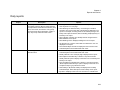
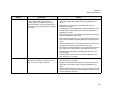
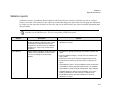
Report
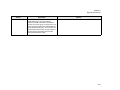
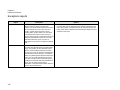
Invalid Billing
References
Description
Lists the bookings for a particular date or date
range that are in reservations that have invalid
billing reference numbers. You can select Use
Specific times and then enter a range of times to
limit the report to bookings that occurred within
this specified time range. You can enter
information about the report, or a name or
description for the report in the Report Comment
field.
Options
N/A
Note: A billing reference number is considered
invalid if it has not been defined in the
Billing Reference Configuration area but
the Validate Billing Reference parameter
is set to “Valid Only.”
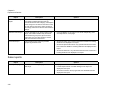
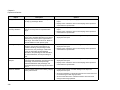
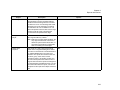
Inactive Web Process
Templates
Displays the inactive web process templates that
are attached to reservations.
N/A
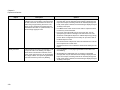
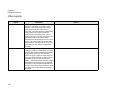
Hoteling reports (EMS Workplace only)
Report
Description
Options
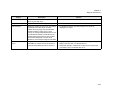
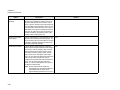
Room Occupancy
Summary
Displays, by building and room type, the number
and percentage of rooms occupied.
N/A
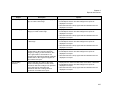
No Show
Lists the bookings for which the reservation
holder did not check in.
N/A
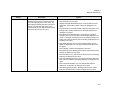
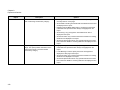
Note: A customer can be checked in via the
EMS Kiosk, the EMS desktop client, or
VEMS.
345