1
Chapter 8
Reports and Queries
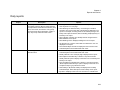
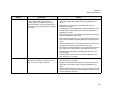
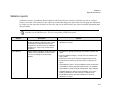
Report
Setup Worksheet
Description
An internal report that sets up crews, custodial, or
operations personnel use to ensure that each
room is arranged properly for each event. The
report displays detailed information about each
booking, including setup type, setup notes,
required resources, user defined fields, special
instructions and resource item notes.
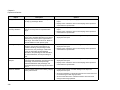
Options
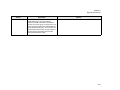
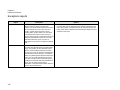
• Use Page Breaks—If this report is run across multiple days, then
each day starts on a new page.
• Highlight Changes Made Within:(days)—Changes that have been
made within the specified number of days are highlighted in the
report.
• Limit Bookings To Those With Details In Selected Categories—Only
bookings with a booking detail from the specified categories are
displayed in the report.
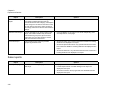
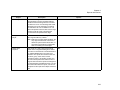
• Show Bookings on Start Date Only—If a booking is scheduled
overnight, then only the start date of the booking is displayed in the
report. For example, a booking exists for 3P Thursday through 10A
Friday. If this option is selected, then the booking is displayed only for
Thursday in the report.
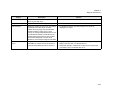
• Keep Detail Together—If an event has booking details, then the
details are kept together on one page instead of being split across
two pages.
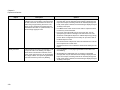
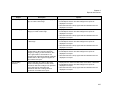
• Show Holidays—Holidays are displayed in the report.
• Show Building Hours—Building hours that are associated with each
building are displayed in the report.
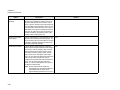
• Show Item Notes—Any notes that have been entered for a booking
detail item are displayed in the report.
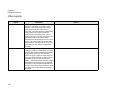
• Show Item Special Instructions—Any special instructions that have
been entered in VEMS for a booking detail item are displayed in the
report.
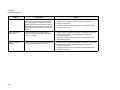
• Show User Defined Fields—Any user defined fields and their
answers for a reservation are displayed in the report.
• Show Booking Changes Only—Bookings that have been edited
within the specified number of days are displayed in the report.
331