1
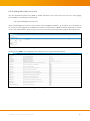
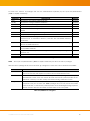
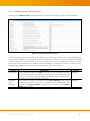
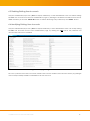
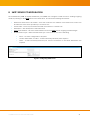
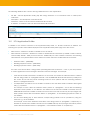
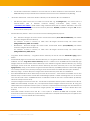
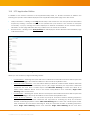
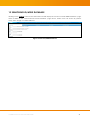
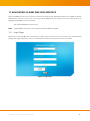
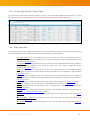
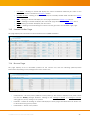
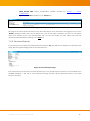
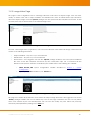
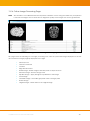
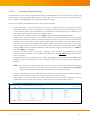
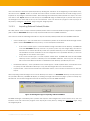
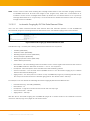
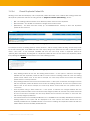
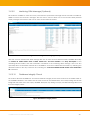
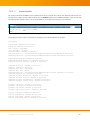
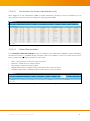
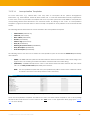
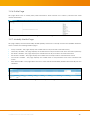
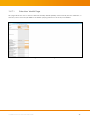
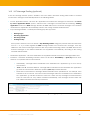
13.15.6 Check Duplicate Patient IDs Clicking on this URL link will display a list of duplicate patient IDs which have conflicts with existing patient IDs. All duplicate patient IDs will have the string format of “$ID[$SourceAeTitle-$TimeStamp]”, where: $ID – The existing patient ID which has a different patient name from the duplicate $SourceAeTitle – The AE Title from which the images were received from $TimeStamp – The Date and Time stamp (in ‘YYYYMMDDhhmmss’ format) of when the duplicate patient ID was received Figure 35 Checking Duplicate Patient ID For example, there is an existing patient: “Danny Scheme”, with an empty patient ID string. A new study is sent by the AE ‘DICOM_TEST’ to iQ-WEBX with the same empty string as the patient ID, but with a different patient name: “John Doe”. In this example, iQ-WEBX will save the new study under a duplicate patient ID: ‘[DICOM_TEST-1106164654]’ and flag this as a duplicate patient ID. The user can resolve this duplicate patient ID by clicking the ‘Resolve’ link and select one of the following options: Figure 36 Resolving Duplicate Patient ID Keep Existing Patient ID and Use the Existing Patient Name – If this option is selected, the images labeled with the duplicate patient ID will be saved under the existing patient ID, and the existing patient name will be used. In the above example, the new study will be saved under the existing patient name of “Danny Scheme”. Keep Existing Patient ID and Use the New Patient Name – If this option is selected, the images received with the duplicate patient ID will be saved under the existing patient ID, and the new patient name will be used. In the above example, the new study will be saved under the new patient name of “John Doe”. Save Duplicate Using a New Patient ID – If this option is selected, the images labeled with the duplicate patient ID will be saved under the newly assigned patient ID, and the new patient name will be used. In the above example, the new study will be saved under the new name of ‘John Doe’ but with a newly assigned patient ID. Use Patient Names From Modality Worklist Record – If iQ-WEBX finds a Modality Worklist Record with the existing Patient ID, this option will be displayed to let users choose the Patient Names from the Modality Worklist Record, iQ-WEBX will then save both the existing and duplicate Patient IDs with the Patient Names from the Modality Worklist Record. iQ-WEB 6.2.3 User Manual INT EN 002R 52