1
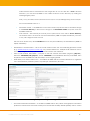
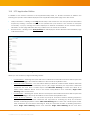
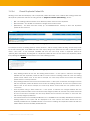
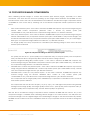
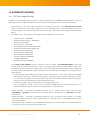
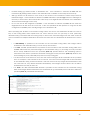
16 AUTOMATIC ROUTING 16.1 DICOM Image Routing In addition to forwarding patient(s), study(s) or series manually from the iQ-WEBX web user interface, users can define automatic routing table entries to forward images automatically based on the following criteria: Source AE Title – This is the AE title from where the images are received. If the Route By Source AE Title option is selected and an image is received from the matching source AE title, iQ-WEBX will route the received image to the defined destination AE automatically, according to the routing schedule defined below. Key Attribute Tag – Currently the following list of DICOM attributes are supported: Institution Name - (0008,0080) Referring Physician Name - (0008,0090) Patient ID - (0010,0020) Protocol Name - (0018,1030) Performing Physician's Name (0008,1050) Reading Physician's Name (0008,1060) Operator's Name (0008,1070) Study Description (0008,1030) Series Description (0008,103E) Accession Number (0008,0050) Modality (0008,0060) Modalities In Study (0008,0061) If the Route By Key Attribute option is selected, users can define a Key Matching Pattern string (may include wild-card characters including '*‘ and '?‘) to match against received image attribute tags. If the key attribute tag in the received image matches with the specified matching pattern string, iQ-WEBX will route the received image to the defined destination AE automatically, according to the routing schedule defined below. By Applying the Logical AND Operator (&&) to Both Criteria Above – If this option is selected, iQ-WEBX will apply both the Source AE Title and Key Attribute Tag criteria using the logical AND (&&) operator, i.e., the received images must match both the defined Source AE Title and Key Attribute Tag pattern before they can be forwarded to the defined Destination AE. Destination AE Title – This is the AE title where the images will be sent. Copy To Destination Folder – If this option is selected, iQ-WEBX will copy received images into the specified destination folder, instead of forwarding them to a destination AE. Hourly Schedule – Automatic forwarding schedule by the 24-hour clock, which can be either ‘Immediately’, a [From,To] spread window, a specified 24-hour clock interval, or a [From,To] immediatefilter window. Weekly Schedule – Automatic forwarding schedule by the 7-weekday daily schedule. The weekly schedule is combined with the hourly schedule above to determine when or if iQ-WEBX should forward the received images. Purge After Routing – Whether or not iQ-WEBX should purge the received images automatically after they have been routed successfully to the destination AE. iQ-WEB 6.2.3 User Manual INT EN 002R 62