1
MENU OPERATIONS
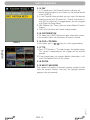
5.5 TIMER SETTING
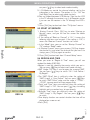
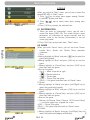
OSD 35
rev 1.1
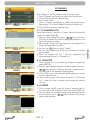
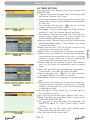
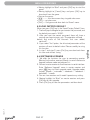
OSD 37
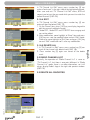
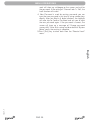
OSD 38
PAG. 23
English
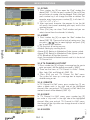
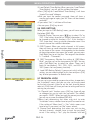
OSD 36
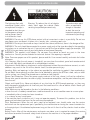
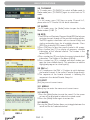
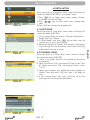
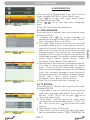
When you enter “Timer Setting”, you will see the window like
below(OSD 35):
1. Program Timer: Select “Program Timer” item and pres [OK]
key to enter “Program Timer” menu.
• Current time information will display on the first column; if the
current time is incorrect, please modify the time information
in “Time” item.
• Timer Number: You can press [ t] keys to set Timer
number, and there are 8 timers in total.
• Timer Mode: There are several modes for Timer to setting,
include Off, Once, Daily, Weekly, Monthly and Yearly.
• Timer Service: There are two options for “Timer Service”,
include Channel (timer setting for channel change and
wakeup/Sleep) and Message (reminding message).
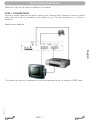
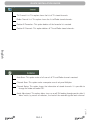
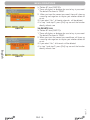
•When you select “Channel” (timer setting for channel change
and Wakeup/Sleep) option in “Timer Service”, the screen
will display like below:
•Wakeup Channel: press [OK] key to enter channel list and
select channel that you want to setting.
•Wakeup Date: use number keys to input your wakeup date.
•Wakeup Time: use number keys to input your wakeup time.
Once the time’s up, no matter what the system is in standby
mode or in playing mode, the system will automatically
switch to the channel you want and start to play.
•Duration: After you set a time for “Duration” item, once the
time’s up, the system will automatically switch to standby
mode.
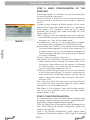
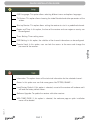
• When you select “Message” (reminding message) option in
“Timer Service”, the screen will display like below:
•Wakeup Message: press [
key to select reminding
message as Birthday, Anniversary and General.
•Wakeup Date, you can use number key to input your wakeup
date.
•Wakeup Time: use number keys to input your wakeup time.
Once the time’s up, no matter what the system is in standby
mode or in playing mode, the system will automatically pop
a reminding message.
•The message will always display on the screen, you can
press [Exit] key to close it.
•Press [Exit] key to draw back from “Program Timer” menu.
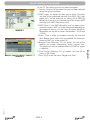
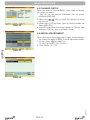
2.Sleep Timer When you enter “Sleep Timer”, you will see the
window like below (OSD 38):
*Press
] key to switch the Sleep Time parameter. The
option is like below: Off /10min /30min /60min /90min
/120min
*Sleep Timer can set the system enter standby mode
automatically after the user setting time.
*Press [Exit] can exit the current menu.