1
MENU OPERATIONS
5. SYSTEM SETUP
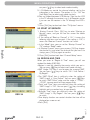
OSD 29
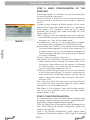
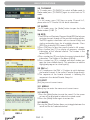
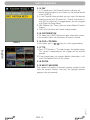
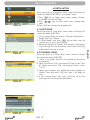
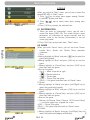
When you enter to “System Setup” menu, you will see the
screen like below (OSD 30): In “System Setup” menu:
1.Press [ ] key to select menu pages among Channel,
Installation, System and Tools.
2.Press [
] key to select menu items among each
items.
3.Press [OK] key to enter the selected item.
5.1 OSD LANGUAGE
rev 1.1
OSD 31
OSD 32
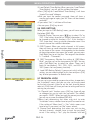
5.2 TV SYSTEM
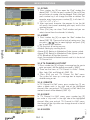
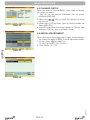
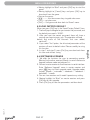
When you enter to “TV System” menu, you will see the screen
like below (OSD 32):
1. Display Mode is use for switching the screen-displaying
mode. Now we provide below options: Auto / PAL-M /
PAL-BG / NTSC/ PAL-N. You can press [ ] key to
select each mode circularly.
2. Aspect Mode is used for switching the screen aspect
ratio mode. Now we provide below options: 4:3 PS / 4:3
LB / 16:9. You can press [ ] key to select each mode
circularly.
3. Dolby Digital can select AC3 on or off.
4. Video Output is use for switching the video output mode.
Now we provide below options: CVBS, CVBS+RGB. You
PAG. 21
English
OSD 30
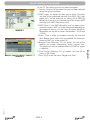
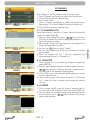
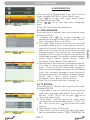
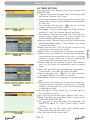
When you enter to “Language” menu, you will see the screen
like below (OSD 31):
1. Language: press [ ] key to select languages, the
selections of languages include: English, French, German,
Italian, Portuguese, Spanish and Turkish.
2. First Audio: Some channels have more than one audio
language for choosing; by this function you can set the first
audio for this channel. If the playing channel has the same
audio as the “First Audio” you set, system will play this audio
language as default. If the channel hasn’t the suited audio
language, then the system will compare automatically with
second audio language. The selections of audio languages
include: English, French, German, Russian, Arabic,
Portuguese, Turkish, Spanish, Polish and Italian.
3. Second Audio: If the channel has no correspond audio with
“First Audio” but have corresponded audio with “Second
Audio”, system will play the second audio language as
default. If no audio language corresponds with the “Second
Audio”, then the default language of current channel will
be played automatically. The selections of audio languages
include: English, French, German, Russian, Arabic,
Portuguese, Turkish, Spanish, Polish and Italian.
4 .Press [Exit] key to draw back from “Language” me