1
The NVR can have up to 3 network ranges to see cameras across multiple subnet ranges
1.6 System setup
To set up the system settings, use the following instructions:
1.6-1 Date/Time
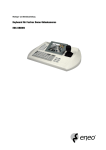
Press enter to set Date/Time on the NVR. The display format can also be set here. If a PIH-931D
Keyboard is connected time Sync can be set, the NVR will then sync its time from the keyboard every
15 minutes. Or a NTP (network time protocol) server can be selected.
Warning: When time & date is changed, existing footage already recorded in that time range will
be lost.
NVR116/109/104 Manual
50