1
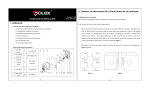
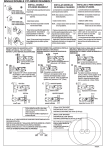
2. Precautions (1). After the deadbolt ① ② lock is installed, the deadbolt is in the “test state”, and therefore any fingerprints and PIN codes can open the deadbolt lock. Therefore, you must first change the Master Pass Code (MPC). The deadbolt can be used normally only after an “Administrator User” is enrolled. If the MPC is not changed, none of the functions in the deadbolt (except deadbolt initialization) available. If no “Administrator User” is registered, “Ordinary Users” cannot be enrolled, are either. Note: For instructions on how to change the Master Pass Code, Enroll Administrator User or Enroll Ordinary User, please see BL100 Fingerprint Deadbolt User Manual. (2). Do not remove batteries when matching, enrolling or deleting fingerprints because the sudden power-loss may result in data loss of fingerprint templates. Prior to removing batteries, make sure the deadbolt is not being operated. (3). It is recommended to replace the deadbolt batteries at least once every six months to avoid damaging the deadbolt’s electronics due to the battery corrosion. Do not use poor-quality batteries. 3. LED Backlight Indicators 5. Battery Low Voltage Protection When the AA batteries are running low, the deadbolt’s low-voltage alarm signals users to change the batteries as follows: The LED Backlight Indicators contain three colors: Red, Green and Blue. The general rule: 1. When the battery voltage reaches lower than 4.8V, the alarm buzzer will make a short sharp sound five times. Users can unlock the deadbolt normally but will not be able to enter the administrative user mode. Successful user operation: The buzzer sounds once and the LED indicator will turn green for 3 seconds. 2. When the battery voltage reaches lower than 4.5V, the alarm buzzer will make a short sharp sound five Failed user operation: The buzzer sounds short tone twice and the LED indicator turns red for 3 seconds. times, and then the deadbolt will power off Verify State: LED flashes Green. Management Mode: Blue LED will turn on and green LED will turn off. Warning Indication: The buzzer beeps five times intermittently. Note: When the low-voltage alarm occurs, please change the batteries immediately to help prevent data loss (It is suggested to change the batteries immediately when the battery voltage is lower than 4.8V). 4. Unlock with an Emergency Mechanical Key You can open the door using an emergency mechanical key in case the electronic component does not operate. ① Use your fingernails or a hard chip to remove the lock cover. ② Insert the key into the keyhole and rotate 90º to unlock. -9- -10-