1
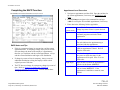
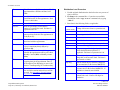
ACADEMIC ACTIONS The EPER Procedure 1. Enter data in the following fields, as applicable Assigned BELI Benefits Eligibility Level Indicator (BELI) code indicating the employee's eligibility for health benefits. Press Fl Help to see valid codes. Effective Date Date the employee becomes eligible for any health benefits indicated by the BELI code. 2. If changes were made, press Enter to invoke range/value edits. 3. This is the last function of the PCNT bundle. Proceed to Review. Review Use F10 Prev Func and F11 Next Func to navigate through the PCNT bundle. 1. Make sure you have completed all the required data elements in the bundle. 2. Review all entered data for accuracy and consistency. Updating the Employee Database Press F5 Update to invoke consistency edits and to display the PAN Subsystem Notification Preparation screen. Consistency Edit Errors If there are consistency edits, the Consistency Edit (ECON) screen is automatically displayed. Review all error messages and make necessary corrections. How to Correct Consistency Errors From the ECON screen you may: Correct errors directly on the ECON screen. F3 Return to the last data entry function you were at when you updated the action to make the appropriate corrections. Then do one of the following: Press F5 Update to invoke PAN. Press F2 Cancel twice to cancel the update. See Consistency Edit Messages (ECON) in Section 1.6, System Messages in this manual for more information and instructions. 7.8—5 Payroll/Personnel System July 2011, University of California, Santa Cruz Percent Change in Time PPS User Manual