1
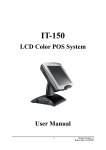
TS8030
TOUCH SCREEN
Packing Checklist
If you discover any item below was damaged
or lost, please contact your vendor.
TS8030
TS8030
X1
This Quick Reference Guide
X1
AC Power Cord (Optional)
X1
Reference
Driver CD
X1
Guide
Card Reader (Triple Track) (Optional)
X1
Solo Display (Tube=120mm) (Optional)
X1
Solo Display (Tube=180mm) (Optional)
X1
Quick
Manual ver Q1
All Right Reserved Copyright 2005
TS8030
CPU
Chipset
Memory
Cache
BIOS
I/O Chipset
IDE Interface
Serial Port
Parallel Port
CMOS
Keyboard
Mouse
VGA
LAN
Sound
USB
LCD Display
Touch Screen
Drive Bay
MSR Card Reader
Solo Display
Power Supply
System Weight
Operation System
Dimension
VIA Eden mBGA 1GHz (optional 733MHz)
VIA CLE266+VT8235
1 x 184-pin DDR DIMM up to 1GB
Built-in CPU
Phoenix-Award PnP, Flash ROM
Winbond (W 83697 uF)
1 x EIDE(UDMA-33/66/100/133)
4 x serial, COM1/2: D-sub 9-pin connector,
COM3/4: RJ45 connector, all with 5V/12V power
1 x parallel (SPP/EPP/ECP)
Built-in VT8235 with battery backup
PS/2 (Mini DIN connector)
PS/2 (Mini DIN connector)
Built-in CLE266 support LVDS (TFT panel)
VT6103PHY, 10/100 Mbps Ethernet
AC '97 Codec, with Line-Out, audio jack
2 x USB2.0
15" TFT LCD panel
Analog resistive
1 x 3.5" HDD
Optional
Optional
External DC-in +24V adaptor
9.5Kg (20.9lb)
Support Windows 98/2000/XP
365 x 378 x 306 mm (14.3" x 14.9" x 12")
System View
Front View
Rear View
365
Top View
Side View
306
Specifications
TS8030
PIP1230
377.6
Unit: mm
TOUCH SCREEN
TS8030
Low Power and Economical 15" POS Terminal
Accessories Installation
System View
Solo Display
Power Switch
Tube
120 mm
LED Indicators
iButton (Optional)
(Power LED/ HDD LED/ LAN Access/ LAN-ON)
MSR Card Reader (Optional)
DC IN
USB
((( )))
COM 4
COM 3
VGA 1
Warning: when the T S 8 0 3 0 shipment bundled with
LCD Customer display "PS8710", the COM4 default will
be set to "12V". (Please note the 12V voltage may
damage the COM port device without voltage required.)
***Please refer to User's Manual in driver CD for Jumper
Setting details.
Hard Disk Drive Installation
COM 1
180 mm
Optional Aluminum Tube Heights for Solo Display
2
2
5
4
3
COM 2
LAN
7
7
2
9
2
No.
PS-8850 Accessory Table
Description
Item
8
P/N
Q'ty
11
choice
only
1
1
Solo Display
(Aluminum) Elliptic Tube= 120mm (Black)
PS8850-Solo-120-B-P
2
Solo Display
(Aluminum) Elliptic Tube= 180mm (Black)
PS8850-Solo-180-B-P
No.
8
7
6
5
4
3
2
1
Part Name
HDD SUPPORT STUD
3.5" HDD FASTENER
D-SUB STUD
BOTTOM COVER ASM.
3.5" HDD
HDD BRACKET
Screw
CABLE COVER
Part No.
QSTUD-CU-3-0.5-L6-H16
22-622-60005011
QSTUD-UNF-N04-4.8-7
20-006-04005012
22-232-30060211
ECSP-8850-CABLE-CAP-B
Qt'y
2
4
8
1
1
1
10
1
6
1
Safety Precaution
Jumper Setting
8
7
2
1
1
Clear CMOS Data
Selection
JPANEL1
J2
JP1
1
J1
1
1
Normal
1
3
Clear CMOS
Battery
U SB
B4 A4
B1 A1
1
1
JP6
9
2
1
9
39
40
2
1
JP9
1
1
COM1
1
6
ATXPWR1
5
13
25
1
2 1
2 1
6 5
6 5
6
DIM 1
1
2 1
2 1
5
6 5
6 5
6
COM1 RI/ Voltage
Selection
2 1
2 1
1
2
6 5
6 5
RI
12V
COM4 Connector :
1
3
5
7
9
10
2
5V
12V
RI
5
1
PWR_BN1
COM3_DCD
2 COM3_RXD
COM3_TXD
4 COM3_DTR
GND
6 COM3_DSR
COM3_RTS
8 COM3_CTS
COM3_RI/+5V/+12V selectable
NC
3
1
2
4
KBMS1
5
1
3
1
2
4
K/B
5
6
COM3 Connector :
6
1
PS/2
JP8
1
JCOM4
JP15
2
5V
12V
RI
JP13
1
1
3
5
7
9
10
1
5
COM3 RI/ Voltage
Selection
JLPT1
1
JUSB11 JP11
VIA Eden
VIA CLE266
5
10
15
1
14
J4
1
2
1
10
JP1
6
11
JP10
JISC1
JUSB2
2
1
1
9
LVDS1
30
29
FAN1
1
1
COM2 RI/ Voltage
Selection
COM4_DCD
2 COM4_RXD
COM4_TXD
4 COM4_DTR
GND
6 COM4_DSR
COM4_RTS
8 COM4_CTS
COM4_RI/+5V/+12V selectable
NC
6
5V
1. Check the Cable Voltage
Make sure the range of operating voltage that is between AC
100V and AC 240V. Otherwise, the system could be damaged.
2. Environmental Conditions
Place your TS8030 on a sturdy, level surface. Be sure to allow
enough space to have easy access around the system.
Avoid extremely hot or cold place to install the system.
Avoid exposure to sunlight for a long period of time or in a airtight
space.
Also, avoid the system from any heating device or use TS8030
when it's been left outdoors in a cold winter day.
Bear in mind
that
the operating
ambient temperature is from 0 C
o
o
o
up to +40 C (32 F~ 113 F).
Avoid moving the system rapidly from a hot place to a cold place
and vice versa. Because condensation may come from inside of
the system.
Place TS8030 in strong vibration(s) may cause hard disk failure.
Do not place the system too close to any radio active device.
Radio-active device may cause signal interference.
o
JP4
2
6
5V
12V
RI
2
6 5
6 5
5
VGA1
BIOS
JP7
1
10
VIA VT8235
1
1
6
A1
I/O
COM2
A30
LAN
2
3
4
5
J3
5
10
B1
IDE1
B30
2 1
2 1
1
COM4
JBAT1
2
10
10
9
2
14
13
1
COM4 RI/ Voltage
Selection
COM3
L AN
1
VIA
VT1612A
JRJ45USB1
2
Battery
1 2
12
11
2
PPCI1
The following messages are reminders for safety on how to protect
your systems from damages and to extend a long life of the system.
3. Handling
Avoid putting heavy objects on top of the system.
Do not turn the system upside down. This may cause the hard
drive to malfunction.
Do not allow foreign objects to fall into this product.
If water or other liquid spills into this product, unplug the power
cord immediately.
4. Good Care
When the outside of the case is stained, remove the stain with
neutral washing agent with a dry cloth.
Never use strong agents such as benzene and thinner to clean the
system.
If heavy stains are present, moisten a cloth with diluted neutral
washing agent or with alcohol and then wipe thoroughly with a dry
cloth.
If dust has been accumulated on the outside, remove it by using a
special made vacuum cleaner for computers.