1
(e.g. applications, command-line utilities, etc.) running within that user’s session
receive. To change the priority, adjust the priority slider to a new setting. The new
priority will be assigned to the selected users as the default priority each time they
connect to the server.
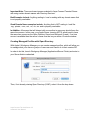
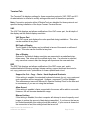
When enabled, the local clipboard can be used to cut, copy, and paste information
between the user session on the server and a local application on the client.
When enabled, the local printer can be used to print information from the user session
on the server.
Sessions can also be automatically terminated when the last user disconnects.
Normally, a session ends only when a connected user logs out of the session by
choosing “Log out” from the Apple menu. If the connected user disconnects, the
session is not terminated and all programs running inside the session continue to run. If
you choose “Terminate Session When Disconnecting”, the last user to disconnect from
the session will cause the session to be terminated. Any data that is not saved will be
lost. To terminate a session when the last user disconnects, first select one or more
users, then click the checkbox.
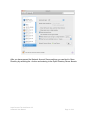
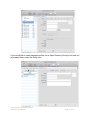
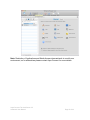
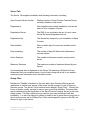
For each user, under the column titled “Enable” within the user table, is a checkbox.
This determines whether a user is given login privilege to the Aqua Connect server. To
use this feature, simply check or uncheck the box for the appropriate users. If enabled
(checked), the user is allowed to login. If disabled (not checked), login is denied. This
provides a mechanism to restrict user access to the server. This setting will remain in
effect until reset by the administrator, and can be adjusted at any time.
During installation, you can specify whether all users are initially enabled or disabled for
login to the server.
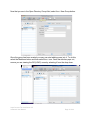
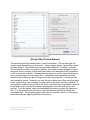
The search control in the upper right hand corner may be used to locate a specific user
in the user table, based on login name under the User column.
All users in the user table may be selected via the command-A shortcut.
Aqua Connect Terminal Server 3.5
Advanced User Manual
Page 28 of 42