1
1. PLUSSoft Installation
Your PLUSSoft PM Mode handles the PLUS monitor acquisition electronics when working in
Power Meter Measurement Mode.
Contact LaserPoint for further information on the PLUSSoft for the Energy and FIT Measurement
Modes.
If a previous version of the PLUS software is installed in your PC, uninstall it using Application
Installation (from the Start menu, Settings, Control panel).
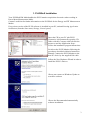
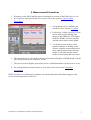
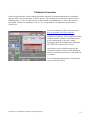
Insert the CD in your PC (the PLUS
electronics is disconnected); open the CD
folder with My Computer and left click the
mouse to start the Application Setup .
Follow the installation program instructions.
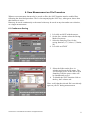
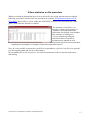
Switch on the PLUS Monitor following the
procedures described within its Instruction
Manual. Connect the PLUS Monitor to the
host PC device by the supplied Usb cable.
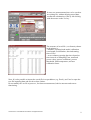
Follow the New Hardware Wizard in order to
install the PLUS’s Drivers.
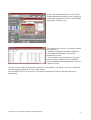
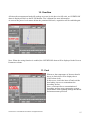
Choose not connect to Windows Update to
search for software
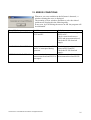
Choose the Recommended automatically
software installation.
LaserPoint srl PLUSSoftUsb User Manual All Rights Reserved
3