1
Matrix® Pro
Implement
Implement – Single Section Setup
Settings will vary depending on if a SmartCable or Section Driver
Module (SDM) is present.
NOTE: If a SmartCable or Section Driver Module (SDM) is present,
refer to “SmartCable or Section Driver Module Setup” to view
setup steps.
Implement Setup is used to establish the various settings associated
with the vehicle’s implement.
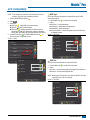
Speed Out / Sense In cable
Implement for a single boom is used to establish guidance width and
spray width.
It allows the user to operate the area applied function of the Matrix
Pro in series with a remote master connection or existing apply on/off
toggle in a single swath manner. However if the previous connections
are not available the supplied toggle switch allows area applied
functionality without the need to connect to a functional application
implement.
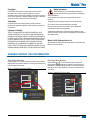
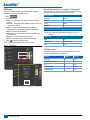
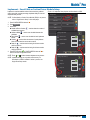
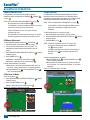
1. Press CONFIGURATION side tab
.
2. Press Implement .
3. Select from:
– used to enter the width between the
►Guidance Width
guidelines
►Spray Width
– used to enter the width of the implement
4. Press RETURN arrow
or CONFIGURATION side tab
to
return to the main Configuration screen.
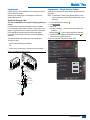
The cable also sends a radar speed signal to an external device.
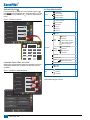
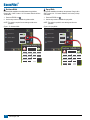
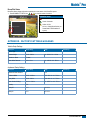
Figure 1-16: Implement Setup Options with No SDM
This cable is REQUIRED to start application mapping (painting the
screen).
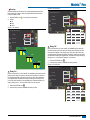
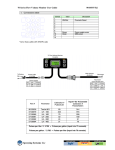
To install your cable:
Configuration
• Connect using included switch (32-50008)
OR
• Connect green wire to master 12 Volts on/off from rate controller
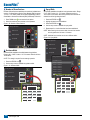
Figure 1-15: Speed Out / Sense In cable
Vehicle
Implement
AutoSteer
Tilt
Lightbar
GPS
Video
Config->Implement
Num Sections
Matrix Pro 570G
45-05765 8 Pos.
Matrix Pro 840G
Speed/Sense Cable
1
Guidance Width
60.00 ft
Spray Width
12.00 ft
ON
Speed Cable
45-05615
OFF
32-50008
Switch, Master
Connect Red Wire
Connect Green
Wire
+12v
Red Wire (+12v)
Speed/
Status
Green Wire
Sense
Radar
Speed Out
98-05243-ENUS R2
7