1
POCKET BEEP AND TONE SQUELCH
12
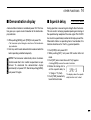
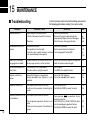
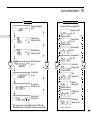
■ Pocket beep operation
This function uses subaudible tones for calling and can be
used as a “common pager” to inform you that someone has
called while you were away from the transceiver.
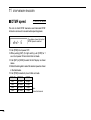
T SQLS
8
D Waiting for a call from a specific station
• See p. 26 for programming details.
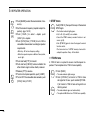
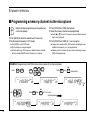
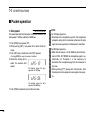
É Push [FUNC] then [➇T SQLS] to turn the
pocket beep ON.
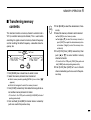
Ñ When a signal with the correct tone is received,
• See p. 26 for programming details.
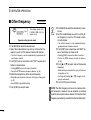
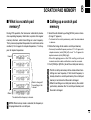
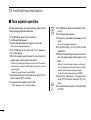
➃ Push [TONE] one or more times to indicate “T SQLS”
the transceiver emits beep tones for 30 sec.
and flashes “S.”
Ö Push [PTT] to answer or push [ECLR] to stop
the beeps and flashing.
in the function display.
➄ When a signal with the correct tone is received, the transceiver emits beep tones and flashes “S”.
➅ Push [PTT] to answer.
essary.
Å Set the operating frequency.
Ç Program the subaudible tone frequency in set
mode.
➀ Push [BAND] to select a band, if necessary.
➁ Set the operating frequency.
➂ Program the subaudible tone frequency in set mode.
• Beep tones sound for 30 sec. To stop the beeps manually, push
the tuning dial (or any key).
• “S” flashes continuously until step ➅ or ➆.
• When receiving another call while “S” is flashing, no beeps sound.
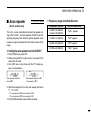
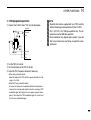
Ä Push [BAND] to select the desired band, if nec-
• Tone squelch is automatically selected.
• Pushing [FUNC] then [➈TSQL] also selects the tone
squelch.
T-OFF
C
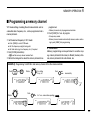
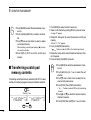
Ü To cancel the function, push [FUNC] then
[GT-OFF].
• Tone squelch is automatically selected when transmitting.
➆ Push [TONE] once or twice to cancel the function.
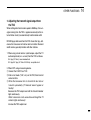
D Calling a waiting station using pocket beep
A subaudible tone matched with the stations frequency is
necessary. Use the tone squelch on the next page or a subaudible tone encoder (pgs. 24, 25).
50