1
2
Method to verify the administration password: input 9 digits, i.e., 1-digit password
number and 8-digit password. Please keep administration password in mind after setting of it.
3
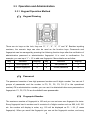
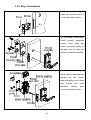
Fingerprint acquisition method: When the light on the reader is on, put the finger on the
reader and the long beep will sound three times, it is indicate the acquisition is done. If there is
just a two short beep it means failed.
4
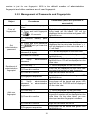
The administration fingerprint and the administration password can add all fingerprints
and passwords, and delete all fingerprints and password except P0. The administration
password P0 can only be changed by the settings of administration password
5
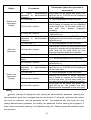
Only an administration fingerprint number 00 and an administration password number
P0 can be enrolled if handset is not included in operation. Other numbers are for user
fingerprints and user passwords, which only have the right to unlock the door. If handset is
included in operation, 3 administration password and 20 administration fingerprint can be
enrolled in maximum.
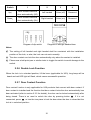
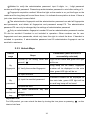
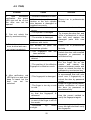
2.3.3 Unlock Ways
Unlock
Phenomena (when the door is
Steps
ways
successfully unlocked)
(1)Slide up the sliding cover and
press #,
①
will be on.
Long beep will be heard, fingerprint
By
fingerprint
Light on the reader and green LED light
(2) Verify the enrolled fingerprint
number will be displayed on the nixie
tube, green LED light will be on.
(3) Open the door
By
Password number will be displayed on
(1) Input the enrolled password
the nixie tube, green LED light will be
on and long beep will be heard.
password
(3)Open the door
By
mechanical
key
(1) Insert mechanical key and
rotate it.
(2) Open the door
Important note:
For U20 product, you can unlock the door by turning the turn piece or pressing
interior lock face.
14
on the