1
eZ80F91 Development Kit
User Manual
52
eZ80Acclaim! Development Kit’s JP2 socket. When the module is
mounted correctly, it will overhang the edge of the eZ80Acclaim! Development Kit by 10 pins.
Changing the Power Supply Plug
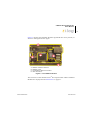
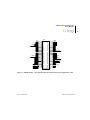
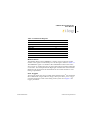
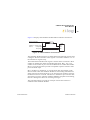
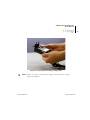
The universal 9 VDC power supply offers three different plug configurations and a tool that aids in removing one plug configuration to insert
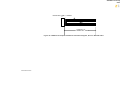
another, as shown in Figure 16.
Figure 16. 9 VDC Universal Power Supply Components
Note: Figure 16 is for the 9 VDC power supply. The 6 VDC power supply
might look different.
Follow the steps below to exchange one plug configuration for another:
1. Place the tip of the removal tool into the round hole at the top of the
current plug configuration.
2. Press down to disengage the keeper tab and push the plug configuration out of its slot.
3. Select the plug configuration appropriate for your location, and insert
it into the slot formerly occupied by the previous plug configuration.
4. Push the new plug configuration down until it snaps into place, as
indicated in Figure 17.
UM014220-0508
eZ80F91 Module