1
Setting up Terminal Access
4.
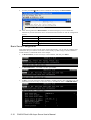
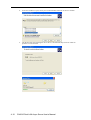
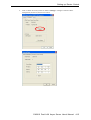
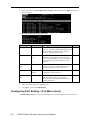
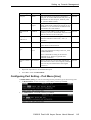
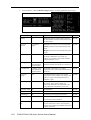
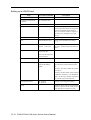
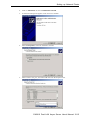
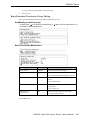
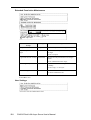
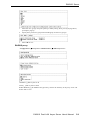
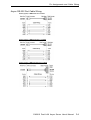
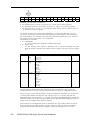
TERM_BIN Description/More Setting window.
Setting
Quit Key
Value
^E
Auto-link protocol None/Telnet/
Rlogin
Notes
Necessity
Defines the Quit key used to disconnect the Optional
link between the current terminal session and
the remote host. It may be left blank for
binary communication.
[None] Do not connect to host automatically. Optional
[Telnet] Connects to host automatically with
Telnet
[Rlogin] Connects to host automatically with
Rlogin
Telnet TCP port
23
Enter a number or leave the space blank. If Optional
not specified, a default port 23 is used. If you
want to use Telnet without a TCP port
number, then set this option to 23.
Primary host IP
IP address or the
name defined in
the [Host] table
If specified, it designates a 'permanent' host
to which the terminal will always be
connected.
Optional
Link by input IP
Enable/Disable
For users to enter IP address manually for
connection
Optional
Secondary host IP
IP address or the
name defined in
the [Host] table.
If specified, it designates a secondary
'permanent' host to which the terminal will
be connected.
Optional
Auto-login prompt ogin:
Send ID information when receiving this
prompt. Since some prompts use "Login",
others use "login", the prompt detection is
defined as "ogin:".
Optional
Password prompt
assword:
Send Password information when receiving Optional
this prompt. Since some prompts use
"Password", others use "password", the
prompt detection is defined as "assword:".
Login user name
ID
ID information
Optional
Login password
Password
Password information
Optional
Terminal type
Ansi
Terminal type for outgoing connection
Optional
Inactivity time
0-99 minutes
Idle time setting for auto-disconnection
Optional
0 min means no disconnection
Authentication type None/local/server None: No authentication is required.
Optional
Local: Check ID according to "User_table"
CN2610 Dual LAN Async Server User’s Manual
9-7