1
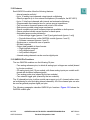
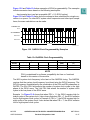
Normally only one queue will be enabled for interval timer single-scan mode and the
timer will reset at the end of queue. However, if both queues are enabled for either single-scan or continuous interval timer mode, the end of queue condition will not reset
the timer while the other queue is active. In this case, the timer will reset when both
queues have reached end of queue.
The interval timer single-scan mode can be used in applications which need coherent
results, for example:
• When it is necessary that all samples are guaranteed to be taken during the same
scan of the analog pins
• When the interrupt rate in the periodic timer continuous-scan mode would be too
high
• In sensitive battery applications, where the single-scan mode uses less power
than the software initiated continuous-scan mode
13.10.3.4 Continuous-Scan Modes
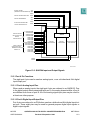
When the application software wants to execute multiple passes through a sequence
of conversions defined by a queue, a continuous-scan queue operating mode is
selected. By programming the MQ1(2) field in QACR1(2), the following software initiated modes can be selected:
• Software initiated continuous-scan mode
• External trigger continuous-scan mode
• External gated continuous-scan mode (queue 1 only)
• Interval timer continuous-scan mode
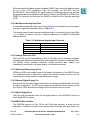
When a queue is programmed for a continuous-scan mode, the single-scan enable bit
in the queue control register does not have any meaning or effect. As soon as the
queue operating mode is programmed, the selected trigger event can initiate queue
execution.
In the case of the software initiated continuous-scan mode, the trigger event is generated internally and queue execution begins immediately. In the other continuous-scan
queue operating modes, the selected trigger event must occur before the queue can
start. A trigger overrun is captured if a trigger event occurs during queue execution in
the external trigger continuous-scan mode and the periodic timer continuous-scan
mode.
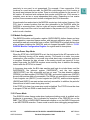
After the queue execution is complete, the queue status is shown as idle. Since the
continuous-scan queue operating modes allow the entire queue to be scanned multiple times, software involvement is not needed to enable queue execution to continue
from the idle state. The next trigger event causes queue execution to begin again,
starting with the first CCW in the queue.
MPC555
USER’S MANUAL
QUEUED ANALOG-TO-DIGITAL CONVERTER MODULE-64
Revised 15 September 1999
MOTOROLA
13-21