1
10. ALIGNMENT
10 MANAGING ALIGNMENT
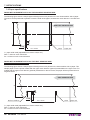
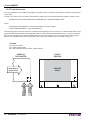
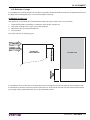
Paper with an alignment notch can be used in order to handle tickets with pre-printed fields and a fixed length.
To guarantee the alignment it is necessary that the “Notch Alignment” parameter is enabled from the key setup (see
chapter 5), that the alignment sensor is calibrated and that the parameters are correctly set.
The calibration of the sensor occurs automatically within the printer setup.
10.1 Enabling, calibrating and setting of parameters
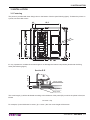
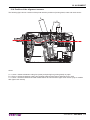
The printer allows using paper with notch placed on the non-heat sensitive side of paper. It is possible to use paper
with notch on the heat sensitive side only with printer models with optional upper sensor.
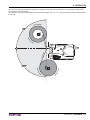
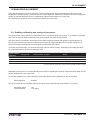
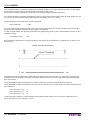
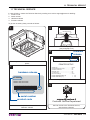
The notch sensor is a reflection sensor that emits a band of light and detects the quantity of light reflected to it.
The presence of the notch is therefore detected by the amount of light that returns to the sensor, taking into account that the light is reflected by the white paper and absorbed by the black.
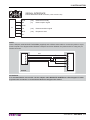
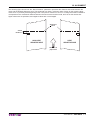
To ensure proper alignment, you must set the proper value of “Notch Position” parameter in the setup procedure,
so choose the sensor to be used for detecting notch
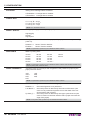
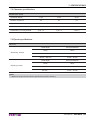
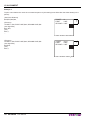
“Notch Position”
Using mode
parameter
Notch position on paper
Notes
Disabled
-
-
Alignment disabled
Down Mobile
REFLECTION
Notch on the non-heat sensitive side
Using alignment notch
Up side *
REFLECTION
Notch on the heat sensitive side (lateral)
Using alignment notch
* only for models with upper notch sensor and with VKP80III emulation enabled
Calibration of the sensor occurs automatically and consists in adjusting the quantity of light emitted to adapt it to the
degree of whiteness of the paper used.
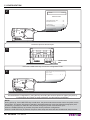
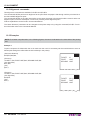
To start self-calibration, the “Notch Alignment” parameter will have to be enabled from the printer setup:
Notch Alignment
: Enabled
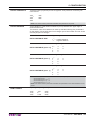
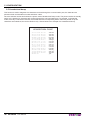
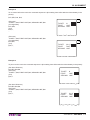
The printer will perform some paper feeds at the end of which it will print the value settings, for example:
Autosetting Notch
Threshold White
: OK
: 2.3V [70%]
User Manual
VKP80III 69