1
268
APPENDIX B ■ IFTS_BOOKS DATABASE
Once the sample database has been installed, you can execute the sample code we’ve
included in this book.
Installing the Phonetic Samples
The iFTS_Books sample database also comes with the non-iFTS phonetic algorithm samples
that we described in this book. These are implemented using a combination of SQL CLR
assemblies and T-SQL functions. Assuming you’ve already downloaded and unzipped the
sample code files to your hard drive, follow these steps to install the phonetic algorithm samples:
1. Install the iFTS_Books database as discussed in the previous section.
2. Open the Command Prompt window and change the current directory to the \Phonetics
subdirectory. For example, if you unzipped to the C:\Sample Code directory, you would
change the current directory to C:\Sample Code\Phonetics.
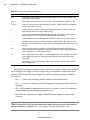
3. Run the setup.bat batch file from the command prompt. This batch file also accepts
one parameter (server name) for Windows Integrated security and three parameters
(server name, user name, password) for SQL Authentication.
4. The setup.bat batch file uses the sqlcmd command-line utility to execute the appropriate
T-SQL installation scripts. These scripts create and load tables, register SQL CLR assemblies, and create T-SQL and SQL CLR user-defined functions.
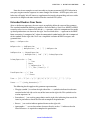
After the phonetic samples are installed, you can execute the phonetic code samples from
Chapter 11.
Sample Code
In addition to the sample databases, we’ve included sample utilities throughout the book that
can utilize the iFTS_Books sample database and the phonetic algorithms demonstrated. This
source code is primarily written in T-SQL and .NET using C#.
There are some examples, however, that we created in other languages where appropriate. For instance, the iFTS filter sample from Chapter 10 was written in unmanaged
C++, per Microsoft’s recommendations. All non-SQL code samples provided were created
as Visual Studio 2008 solutions. You can open, compile, and execute the sample code using
Visual Studio 2008.
www.it-ebooks.info