1
Appendix F: User Service
H
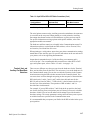
If you are installing a 92A60/90 Module in your mainframe, you must install
the 92A60/90 Controller board and connect the Buffer Probe cables before
installing the 92A60/90 Memory board.
H
A 92S32 cannot be placed in a slot adjacent to (above) a 92A96 or 92C96
Module.
H
If you are installing both a 92HS8 Master interface card and a 92HS8
Expander interface card in adjacent slots in your mainframe, you must first
install the Expander interface card and then the Master interface card.
There are two different ways to install modules in the mainframe: the horizontal
installation method, and the vertical installation method. If your mainframe is
not installed in a rackmount, or if your mainframe is situated such that you can
turn the mainframe on its side, perform the Vertical Installation Procedure.
Otherwise, perform the Horizontal Installation Procedure.
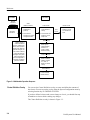
Vertical Installation Procedure. To install a module in the vertical position,
perform the following steps:
1. With the front-panel power switch in the OFF position and the power cord
disconnected, remove the top cover and card-cage door.
CAUTION. Observe antistatic precautions before handling any module; otherwise
damage can occur. The antistatic precautions are listed in the DAS 9200
Technician’s Reference Manual.
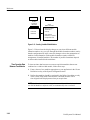
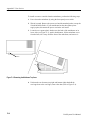
2. Place the mainframe on its side such that the power supply is on the bottom
and the card cage is on top.
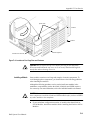
3. Insert the module into the desired slot of the mainframe with the component
side down and the 540-pin connector pointing into the mainframe.
4. Place the module in the slot guides and gently slide the module into the
mainframe until the three sections of the 540-pin connector rest against the
slot connector.
CAUTION. To avoid damaging the module or the pins on the backplane, do not let
the module drop into the card cage slot.
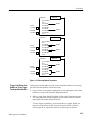
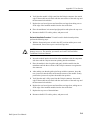
5. After making sure that the guide pins line up with the connector, insert the
two ejector tools into the holes at the outside corners of the module. Gently
push on the ejector tools to place the module into position.
F–14
DAS System User Manual