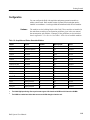
1
Reference
HARDWARE
Modules
Installed In
Mainframe
DAS 9200
Mainframe
SOFTWARE
Select
Module Formation
Create Cluster
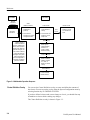
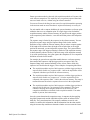
1 Module formations
established at
power-up
1 Create cluster in
Cluster Definition
overlay
2 Select desired
formation(s) in System
Configuration menu
2 View contents of all
clusters in Cluster
Setup menu
Monitor Cluster
Start
Cluster
View status of all
modules in cluster
in Cluster Monitor
menu
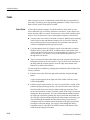
Define Signal
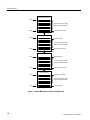
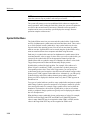
Clusters (groups of
modules of different
types) are created by the
user in order to perform
certain tasks. When the
application changes, the
user selects a different
cluster and effectively
reconfigures the system
without changing the
physical arrangements of
acquisition and pattern
generation modules.
Define signals
passed between
modules in a
cluster in Signal
Definition overlay
Define Correlation
Define correlation
between modules
in a cluster in
Define Correlation
overlay
Define Autorun
1 Create a refmen
2 Define Autorun
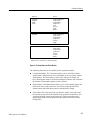
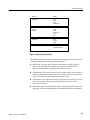
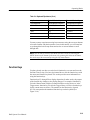
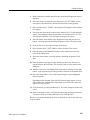
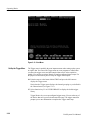
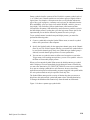
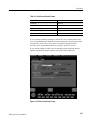
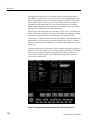
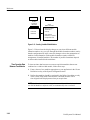
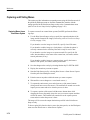
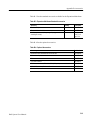
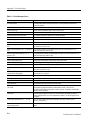
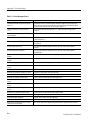
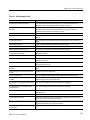
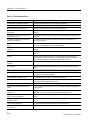
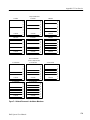
Figure 3–2: Multimodule Operation Sequence
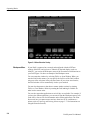
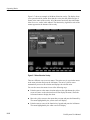
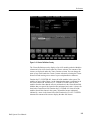
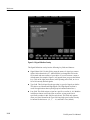
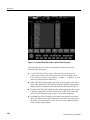
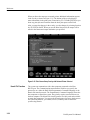
Cluster Definition Overlay
You can use the Cluster Definition overlay to create and define the contents of
the clusters. You can access the overlay from the System Configuration menu by
selecting function key F6: DEFINE CLUSTER.
If you have defined a cluster and want to change or clear it, you should first stop
all modules or clusters before making any changes.
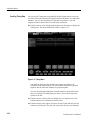
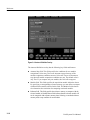
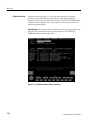
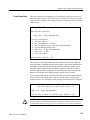
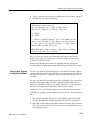
The Cluster Definition overlay is shown in Figure 3–3.
3–4
DAS System User Manual