1
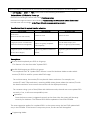
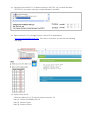
1. Static IP: 192.168.0.88
2. User can connect to http://192.168.0.88 webpage for firmware update.
3. Firmware update file name:
Host : webfwh.bin
Client : webfwc.bin
█
Reset to Default:
1. Reset any changes in SPI flash setup flag.
2. Re-generate Random MAC address to avoid any possible MAC collision.
After Reset to Default and reboot cycle, a new random MAC address will be generated.
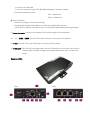
9. Power Connector: Connect the included 5V DC power supply to this receptacle.
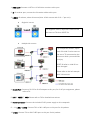
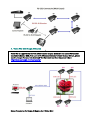
10. – 12. LINE1 – LINE3: Connect TX’s or RX’s LINE port to this port for AV packets.
13. FIBER: Connect TX’s or RX’s FIBER port to this port for AV packets.
14. FIBER LINK: This LED will turn bright green once the TX and RX units are ready. LED will turn
blinking when the data is being transmitted between two units via fiber optic
cable.
Receiver (RX):
Front
Back