1
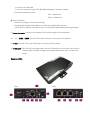
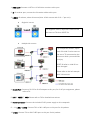
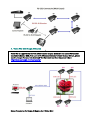
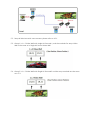
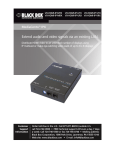
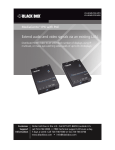
1. HDMI OUT: Connect a HDTV or Hi-Definition monitor to this port. 2. IR: IR receiver port, connect the IR receiver cable to this port. 3. LINK ID: ID selector, select AV source (Max. 16 AV sources with ID 0 – F per unit). Single AV source: The same ID For single AV source, adjust RX’s LINK ID to be the same as TX’s then RESET RX. Multiple AV sources: For multiple AV sources, adjust each RX’s LINK ID to be same as the one of TX connected to the AV source which you would like to enjoy. RESET RX after its LINK ID has been changed. Please refer to the left example with 3 AV sources. 4. RS-232 Port: Connect a RS-232 to RJ-45 adapter to this port, for RJ-45 pin assignment, please refer to TX. 5. RDY, 6. RESET, 7. PWR: Please refer to TX for detailed instructions. 8. Power Connector: Connect the included 5V DC power supply to this receptacle. 9. – 11. LINE1 – LINE 3: Connect TX’s or RX’s LINE port to this port for AV packets. 12. FIBER: Connect TX’s or RX’s FIBER port to this port for AV packets.