1
8101/8102
User Manual
The Pulse Composer
Toolbar
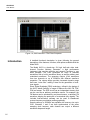
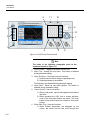
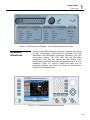
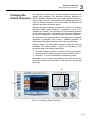
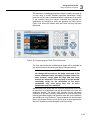
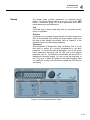
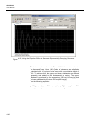
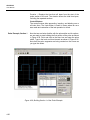
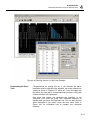
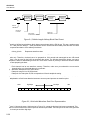
The toolbar contains icons for editing the waveform screen, icons
for saving and loading waveforms, fields for selecting an active
channel and more. The Toolbar is shown in Figure 4-31. The icons,
from left to right operate the following functions: New waveform,
Open an existing waveform file, Save pulse train, Save pulse train
As, Print the screen and open the pulse editor dialog box. Other
icons select the current view on the screen, shows channel 1 and
channel 2 waveforms, clear the memory and download the
displayed pulse train to the active channel.
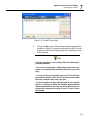
Figure 4-31, the Pulse Composer Toolbar Icons
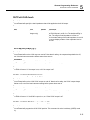
Creating Pulses
As was mentioned above, creating pulses with the pulse editor is
simple and intuitive, just as you would draw the pulse on a piece of
paper. The pulse editor then processes the information, determines
the appropriate mode and converts to waveform coordinates for
downloading to the instrument for it to generate the required pulse
shape.
There are a number of terms that will be used throughout the
following description; Make yourself familiar with these terms before
you proceed with actual design of your pulse.
Pulse Editor
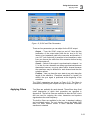
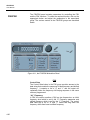
The Pulse Editor is the prime tool for creating pulses. To invoke the
pulse editor, point and click on the pulse editor icon on the pulse
composer toolbar. You can also invoke the editor by clicking on the
Section Number icon as will be shown later in this description. The
pulse editor dialog box is shown in Figure 4-29.
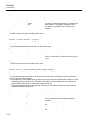
Pulse Train
The Pulse Train identifies the entire pulse design. When
downloading the waveform to the instrument, the entire pulse train
will be downloaded, regardless if part of the pulse train is displayed
on the pulse composer screen.
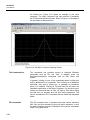
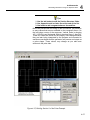
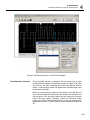
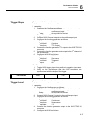
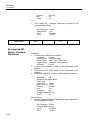
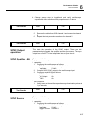
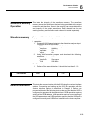
Pulse Section
Pulse train is constructed from 1 or more sections. If the pulse is
simple, it can be created using one section only. For more complex
pulse train, the train can be divided to smaller sections and each
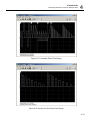
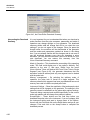
section designed separately for simplicity. Figure 4-32 shows a
complex pulse train which was made from five simpler sections and
Figure 4-33 shows the design of the fifth section only of the pulse
train.
4-50