1
8101/8102
User Manual
Controlling the
8102
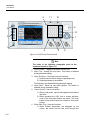
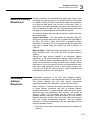
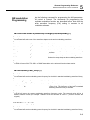
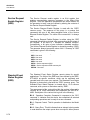
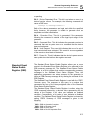
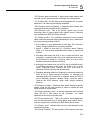
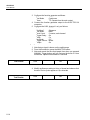
Controlling 8102 function, modes and parameters is simply a matter
of pressing once or twice the appropriate button as described in the
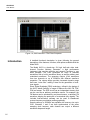
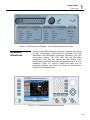
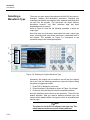
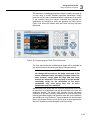
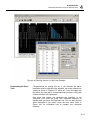
following paragraphs. Refer to Figure 3-2 throughout this
description.
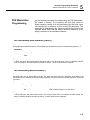
1. Power Switch – Toggles 8102 power ON and OFF
2. Menu Top – Selects the root menu. This button is disabled
during parameter editing
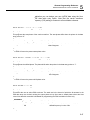
3. Menu Soft Keys – Soft keys have two functions:
1) Selects output function shape or operating mode,
2) Selects parameter to be audited
These buttons are disabled during parameter editing
4. Menu Back – Backs up one menu position. This button is
disabled during parameter editing
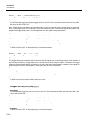
5. Cancel (Local) – Has two functions:
1) When in edit mode, cancels edit operation and restore last
value
2) When operating the 8102 from a remote interface, none of
the front panel buttons are active. The Local button moves
control back from remote to front panel buttons
9
2
11
12
8
A
10
B
C
3
7
D
1
4
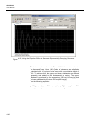
Figure -2, 8102 Front Panel Operation
3-6
5
6