1
Dialogic® NaturalAccess™ ISDN Messaging API Developer's Manual
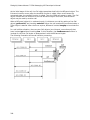
To open D channel contexts under Natural Access, use ctaCreateContext followed by
ctaOpenServices. In each call to ctaOpenServices, set stream, timeslot and mode to
0, since no DSP processing resources are needed to control the D channel data stream.
Under Natural Access, these values are included in the ctaOpenServices.
Accessing D channels
Once one or more contexts are created for the D channels, initialize a separate ISDN
protocol stack instance for each context and associate a specific D channel with the context.
When this is done, a D channel is ready to send and receive messages.
Network access identifiers (NAIs)
A trunk is referred to by its network access identifier (NAI). When you initialize an ISDN
protocol stack instance for a context (using isdnStartProtocol), specify the NAI of the
trunk to associate with the context. If duplicate NAI values are defined, specify the NFAS
group number. From then on, the application can communicate with the D channel on that
trunk through the context handle.
For example, when an event is received, the context handle indicates the trunk on which
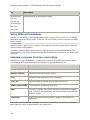
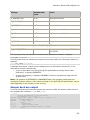
the event occurred. Different board types support different numbers of D channels and
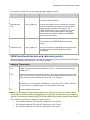
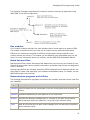
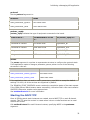
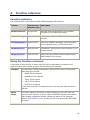
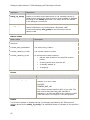
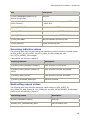
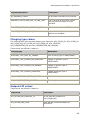
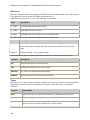
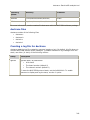
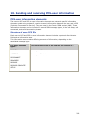
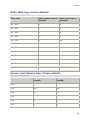
provide different NAI default values. The following table shows what each board type
supports:
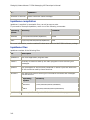
Board type
Number of D channels
NAI default values
Four-trunk board
As many as 4
0 through 3
Two-trunk board
As many as 2
0 through 1
Initializing ISDN protocol stack instances
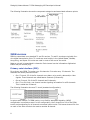
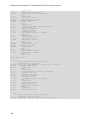
Use isdnStartProtocol to initialize NMS ISDN protocol stack instances.
Note: Once you reference the context in an isdnStartProtocol function call, do not
reference that context in any other function call except isdnStopProtocol (to stop the
stack).
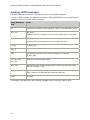
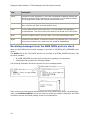
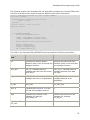
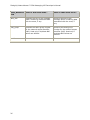
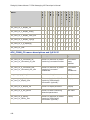
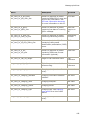
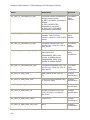
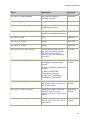
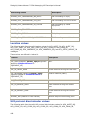
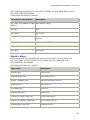
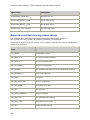
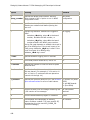
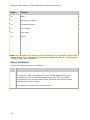
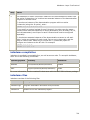
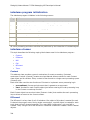
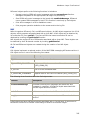
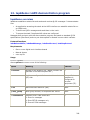
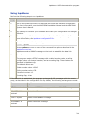
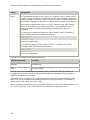
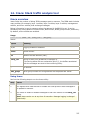
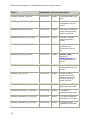
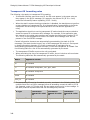
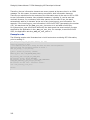
To start up an NMS ISDN protocol stack instance for ISDN ACU call control or LAPD, set the
protocol, partner_equip, and parms arguments as follows:
32