1
Disc Operations
Playing
disc
( o.ti..ea)
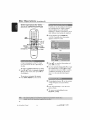
@ Press REPEAT continuously
various repea£ play mode
an MP3/]PEG/MPEG-4
to access
@ Press II to pause or PLAY !_ (or I_lm)
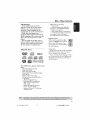
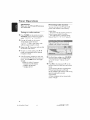
This DVD system can playback HPEG-4,
MP3,jPEG.VCD
& SVCD flies on a
personally recorded
commeE_ia[ CD
CD-RJRW
to resume p[_back
disc or
IHPORTANT!
YOU
tO tUYn
have
On
yOUY
TV
set to
arid
the correctVideo In channel
19 "Set ring the TV" )
(See page
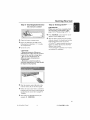
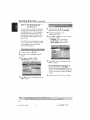
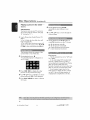
@ Load a disc
@ The disc reading time may exceed
seconds due to the complexity
directory/file
configuration
30
of the
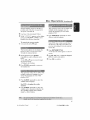
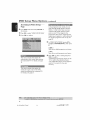
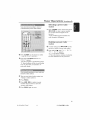
@ Load a MP3 disc @at cont_-4ns music and
pictures
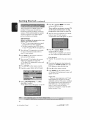
_ The disc menu appe._rs on @eTV
@ Selectan HP3 u'ack and press!_ (or _'ll)
_o s_art playb_cl<
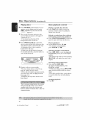
@ During
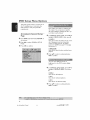
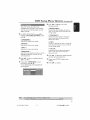
_ The disc menu appe_lrs on @eTV
scl_erl
P1PSmusic playback, use '_ _" at T
k_ys to select a piculre folder from the
disc menu and press PLAY !_ (or I_ll) or
OR
o[I
_he
Yelnote
co£tYol
@ The picture files will be played bad<
undl the end of @e folder
@ To quit simuS_neous
DISC
if the
disc
folders,
folder
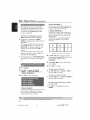
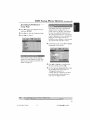
ITlain iTlenu COrI_in£ vayious
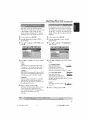
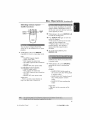
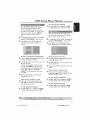
press A Y to select a desired
and press OK to open @e folder
@ Press at Y to select a u'ack/file and press
OK
to star_ playback
@ Playback w[[[ start fl'om the selected
file and continue to the end of @e folder
During
@
playback,
Press _1
_ckJfile
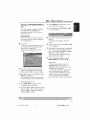
@ To select
you
/ _
current
another
folder
disc, pYess _ go yetu yi/_o
[hell
pYess _Y
and pres_
OK
playback, press
and followed
by I_
Helpful Hints:
It may not be poss_bl, to pk@ cer thin
MP3/JPEG/MPEG4 d_c due to the
confJgurotion _nd characteristics _ the d_c
or conditJon of the record_
_t i_ f)OrfTl_l
_ e_pe_e_ce ¢7nOgC_iOf]_l
'_/<ip" while I_tening to your MP3 d_sc
S_tem supports IS09660 _nd _11 o_ly
d_p_y 12 ch_roc@rs of@e i8e names¸
For mul@_e_ion discs w_ d_ffere_
_m_.
on/y _e _t _es_n will be _v_il_b_
can;
to select
in the
MENU
to m_l(e
another
fo[del_
from
the
current
the iYaot mellu,
youp
sele_g[oR
to confirm.
29
001 053 ht_5500_37
Eng47
29
130410_t) _ 5 14781
|