1
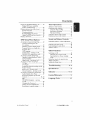
Contents
P[ayin8 an MP3/JPEG/HPEG-4 disc
Playing MP3 music and ]PEG
29
picture simultaneously ........................ 29
Playing a plctu_ disc (slide show)
30
Preview Funcdon .................................. 30
Zooming
a plctu_
............................... 30
Rota dng/Fllping the picture ................ 30
Supported ]PEG picture _rmats
30
Playing a DlvX disc .................................... 31
Tuner
Prese_fing radio sI,__[ons .......................... 42
Us[n 8 ff_e P[u8 and Play ....................... 42
Automatic presetting .......................... 43
Manual prese_t[n 8 ................................. 43
Setup
Accessing
Menu
to General
and Volume
Controls
Options
Setup Page
32
Locking/Unloddng
d_e disc
for viewing ............................................. 32
Dimming system_ display panel
P_gram track_ on a single disc
32
33
Individual speakers volume adiusunent
....
.......................................................................
44
Selecting surround
Other
Screen Saver
_urnln 8 on/off ........... 34
DivX(R) VOD _glstradon
code
34
SwiTching on/off
Accessing to Audio Setup page .............. 35
Speakers Volume/Speakers Del_
35
CD Upsampling .................................... 35
Nlgbt mode
_urnin 8on/off
............ 35
Accessing to Video Setup P_e ............... 36
TV Type ................................................... 36
sound ........................ 45
Selecting d[g[_'d sound effects ................. 45
Volume control .......................................... 45
P_gram discs ........................................ 33
OSD langu_e ....................................... 34
Functions
........................................ 46
Swi_dlirlg to an active mode .............. 46
Swi_chir_g to Eco Power stz_ndby
mode ....................................................... 46
Using t[_e remote
Troubleshooting
Plctu_ Setting ....................................... 37
Black Level - _urnln 8 on/off ................ 38
Specifications
Closed Capdons - _urning on/off
38
Accessing to P_ference Setup P_e
39
Audio, Subtitle, Disc Menu ................. 38
to operate your
'Phil[ps' television ...................................... 46
Setting d_e Sleep diner ........................... 47
TV Display ............................................. 36
P_gressive ffmcdon-turnlng
on/off • 36
Glossary
Restricting pl_back by Paren_l
Control ............................................ 38_J0
Limited
PBC ......................................................... 40
Language
.........................
4P:_49
...................................... 50
.............................................51_2
Warranty
Code
.............................53
.................................153
MP3/jPEG Navigator
_urnln 8
on/off ...................................................... 40
Changing d_e Password ....................... 41
Setting d_e DlvX Subtide fon_ ........... 41
Res_orln 8 to original se_lngs ............41
001 053 ht_5500_37
Eng47
|
Selecting _ prese_ radio sta_[on ............. 43
Deleting a prese_ _\_d[o s_ation .............. 43
Sound
DVD
Operations
Tun[n 8 to radio stations ........................... 42
7
13/04/0_4_@_
5 14781