1
|
Getting
Step
Started
3: Setting
(conth uea)
language
preferences
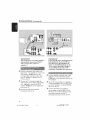
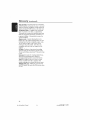
You can select your preferred
language
setdngs so th_ d_is DVD system wi[[
_utomadcally swird_ to _he langua_[e for
you whenever you load a disc If _he
I_nguage selected is not awil_b[e on _he
disc, 8_e disc's del_u[t language will be
used instead
The OSD (On-Screen
Display) language
for die syst_ln menu will remain as you
set it. _@ rd[ess of _he def_luR and
optional
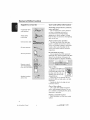
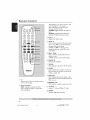
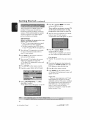
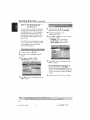
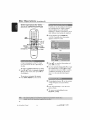
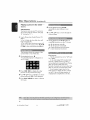
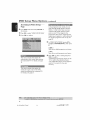
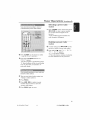
@ In disc mode. press Bt _w[ce ro stop
playback (if any.) then press SETUP
Press I_ repeatedly _o select
'PREFERENCE PAGE'
Press A'_
to high[igh_ one of d_e options
below, then press _"
{ AUDIO
} (disc's soundm_ck)
{ SUBTITLE
} (disc's subtitles)
{ DISC
MENU
} (disc's menu)
disc [anguage_
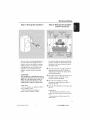
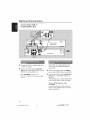
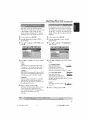
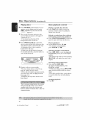
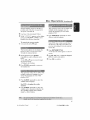
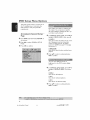
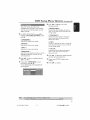
@ In disc mode, press SETUP
@ Press1_to select 'GENERAL SETUP
PAGE'
@ Press_,T _o higNigh_{ OSD
LANGUAGE, } then pressI_
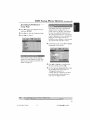
@ PressAT to select a languageand press
OK co confirm
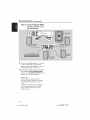
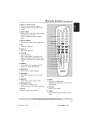
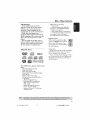
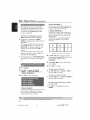
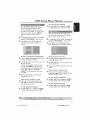
If L'he language you want" is not in
the list, t-hen select- { OTHERS.
}
Use _he numeric
keypad (O-_) on the
remote _o enter d_e 4-digit I_n_ua_e code
'XXXX'
(see page 153) _nd p_ss
OK _o
COl_lil'lTI
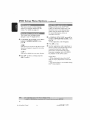
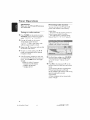
Repeat
st_ps
_@
for
other
settings
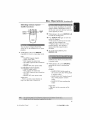
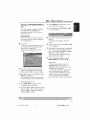
@ Press _
to select a language and press
OK to confirln
22
001 053 ht_5500_37
Eng47
22
1304/0_$_
_15 14781