1
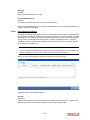
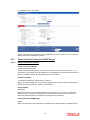
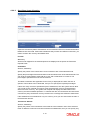
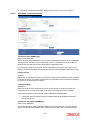
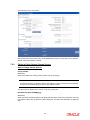
Transaction Currency
Alphanumeric; Optional
Specify the transaction currency for the initial contribution. If many currencies have been
mentioned in the settlements, then you are required to enter the amount for individual
currencies. You can specify a transaction currency only if the transaction is amount-based.
Transaction Amount
Numeric; Optional
Specify the transaction amount for the currency selected. If different currencies have been
mentioned in settlements, then you can specify only the transaction amount. The system will
default the ratio. If all the currencies in settlements are the same, then you can specify either
the transaction amount or the ratio.
Note
–
If you have checked the ‘Include Interest in Investment’ box, then the total of
settlement and interest amounts for each currency needs to be equal to the asset
allocation transaction amount for the currency.
–
If the ‘Include Interest in Investment’ box has not been checked, then sum of currency wise settlement amount should be equal to the asset allocation transaction
amount for the currency.
Exchange Rate Source
Alphanumeric; Optional
The system will display the exchange source maintained at default set-up in system
parameters. You can change it by selecting the required exchange rate source from the
adjoining option list. This will be used by the system to convert the transaction amount in
terms of fund base currency.
Override Exchange Rate?
Optional
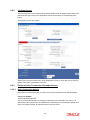
Select ‘Yes’ if you wish to change the exchange rate that is displayed here. If you select ‘Yes’,
however, you need to specify the exchange rate to be used for the transaction in the
‘Exchange Rate Applied’ field. Select ‘No’ if you wish to retain the exchange rate that is
displayed by the system.
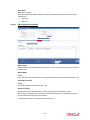
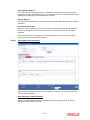
Exchange Rate
Numeric; Optional
The system will default the exchange rate available for the currency based on the exchange
source specified. If you have elected to override the exchange rate, you need to enter the
exchange rate to be used here. If exchange rate is not available, then the system will generate
the transactions as incomplete ones. Such transactions can be enriched later through the
‘Policy Transaction Enrichment Screen’.
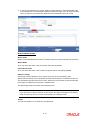
FX Deal Date
Date format; Optional
The system will default the starting date of the policy here. You can change it if required.
FX Value Date
Date format; Optional
The system will default the starting date of the policy here. You can change it if required.
3-23