1
Chapter 3: Installation
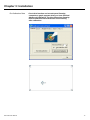
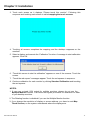
3. Touch each screen as it displays “Please touch this monitor”. Following this
sequence and touching each screen is called mapping the touch screens.
4. Touching all screens completes the mapping and the desktop reappears on the
monitors.
5. Select a display and execute the “Calibration” function. A message to start calibration
appears. Click OK.
6. “Touch this screen to start its calibration” appears on one of the screens. Touch the
screen.
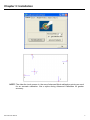
7. “Touch the red square” messages appear. Touch the red squares in sequence.
8. Continue calibration for each monitor by clicking Standard Calibration and touching
the red squares.
NOTES:
1. If you use a single VGA output for multiple monitors, please do not use the
Multiple Monitor function. Just follow the regular procedure for calibration on each
of your desktop monitors.
2. The Rotating function is disabled if you use the Multiple Monitor function.
3. If you change the resolution of display or screen address, you have to redo Map
Touch Screens, so the system understands where the displays are.
IMO-A080 User Manual
14