1
Digispot ® II DDB Agent
number). A number of client connections are created on another workstation. An IP address
and port numbers are specified for each one of them. The server (server socket) is usually in
the waiting cycle. In other words, “watching” a specific port, it “wakes up” if new connection is
created. There is also a possibility to simply check if there are currently available connections,
set timeout for an operation and so on. As soon as a connection request is received from the
client, the server will switch the connection to the socket that is sending the data and go back
to standby mode. The data exchange process will commence.
Currently, the server only allows connection to one client; in this case the port and IP
address specified in connection settings are the same. There is no data exchange between
server and other clients via this particular socket.
Thus, for a technical standpoint, a server connection is a connection that receives requests
from clients (within the server-client architecture), performing the data transfer process via
network between two computers or processes.
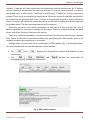
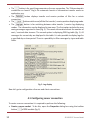
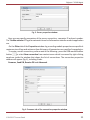
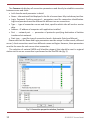
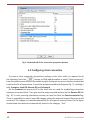
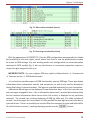
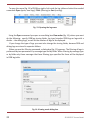
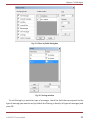
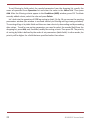
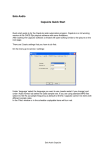
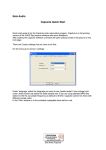
Configuration of server and client is performed in DDB module (fig. 1) of the application.
Let us briefly describe the interface buttons of this module:
• The
and
buttons are designed for creation and deletion of new
connections
• The
,
,
and
buttons are responsible for
managing already configured connections.
Fig. 1. DDB module window
© DIGISPOT System GmbH
9